
Inspect styles on any website, make live adjustments, and copy the CSS into your project.
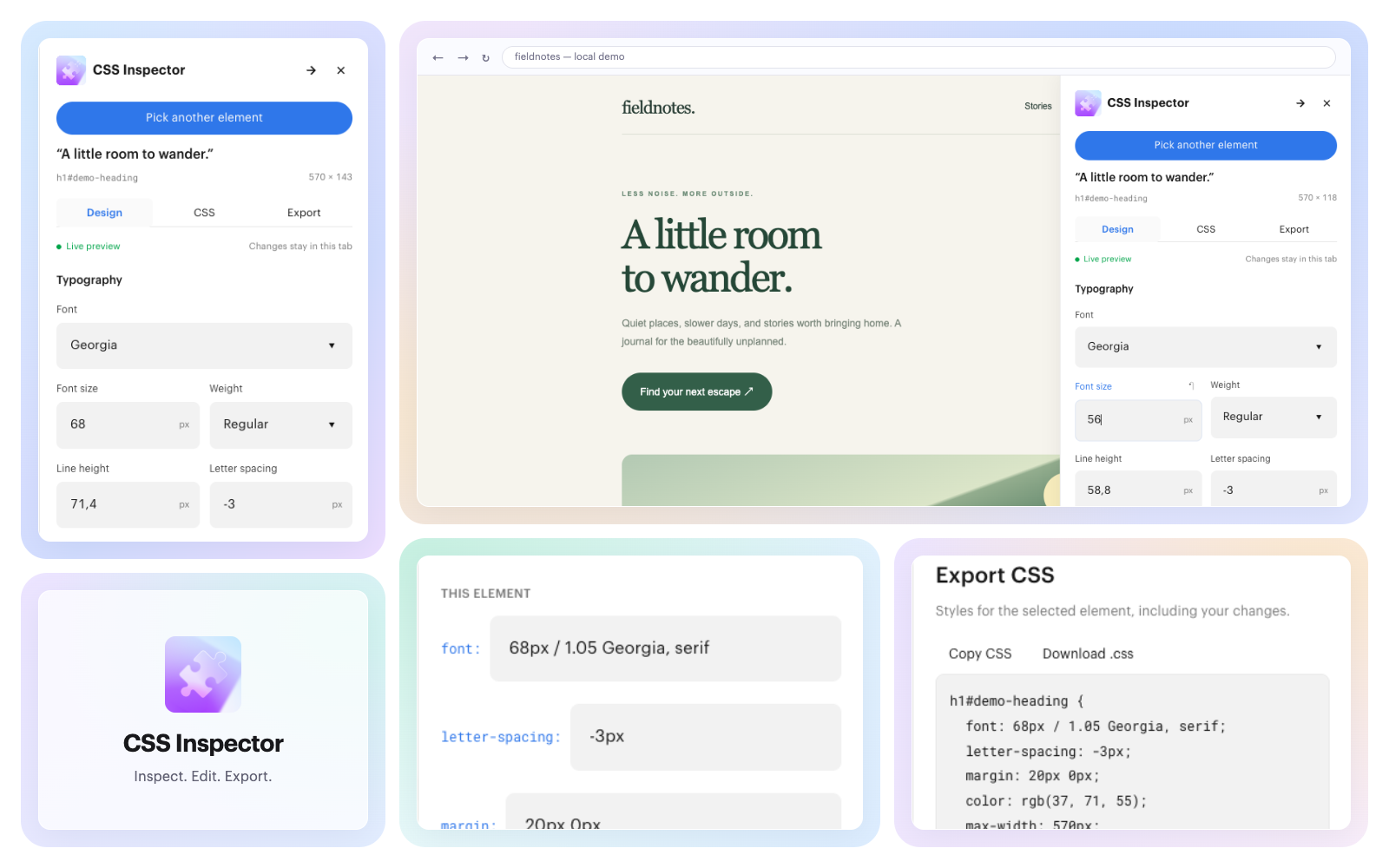
Live style editing
Adjust typography, colors, spacing, dimensions, and corner radii. Preview changes directly on the page, with undo, redo, and reset.
CSS inspection and export
Review CSS declarations and inherited styles for any selected element. Copy the CSS or download it as a file for your project.
How it works
- Install the Chrome extension and open the website you want to inspect.
- Open CSS Inspector, click Pick an element, and select an element on the page.
- Adjust its styles in Design, or inspect and edit declarations in CSS. Preview changes instantly and undo or reset as needed.
- Copy the CSS or download it from Export to use in your project.
Changes are temporary. Edit styles directly on the page without affecting the live website. Copy your CSS before navigating away or reloading.
Before you start
CSS Inspector exports styles for the selected element, not a complete component. HTML, images, and font files aren’t included. Chrome’s internal pages and the Chrome Web Store can’t be inspected.