
Introduction
Argos turns visual regression into a governed workflow instead of a collection of screenshots. CI-generated screenshots are uploaded, compared to a centralized baseline, and visual diffs appear directly in pull requests where engineers explicitly approve the change.
Every visual surface that a customer sees - a hero header, a pricing module, a navigation bar - expresses a contract: it should remain consistent unless the team intentionally changes it.
Most visual regression initiatives collapse not because screenshot comparison is technically hard, but because teams fail to control the baseline. Without a governed baseline, visual testing quickly generates noise instead of clarity.
Argos solves that in a very targeted way: it centralizes the baseline, moves diff review into the pull-request lifecycle, and turns approval into an explicit engineering action instead of a subjective judgement.
This article explains how to adopt Argos in a real CI pipeline, how to set thresholds, how to mask unstable areas, how to review diffs, how this relates to design tokens, and why Argos is often a more sensible option than heavier enterprise visual testing platforms.
This is a practical production guide.
Why Argos matters (and why many teams fail visual regression without it)
When teams start visual regression without a baseline governance system, they typically generate the baseline locally on individual developer machines. That alone is enough to destabilize the entire initiative.
Local environments differ:

- different operating systems
- different default fonts
- different display pixel densities
- different Chrome versions
- different rendering defaults
The result: screenshots do not compare reliably.
Noise accumulates.
People start adding exclusions.
Eventually the entire effort is abandoned.
Argos prevents that failure mode at the architecture level:
- the baseline is centralized
- screenshots are uploaded from CI, not developer laptops
- diffs are surfaced in pull-requests
- approval is an explicit action in Argos UI
This shifts visual regression from opinion to governance.
What Argos is - and what it is not
| Function | Provided by Argos |
|---|---|
| Test execution | ❌ No |
| Screenshot capture | ❌ No |
| Baseline storage | ✅ Yes |
| Visual diff comparison | ✅ Yes |
| Pull-request visual review | ✅ Yes |
Argos stores baseline screenshots, compares new screenshots to that baseline, and exposes diffs for review.
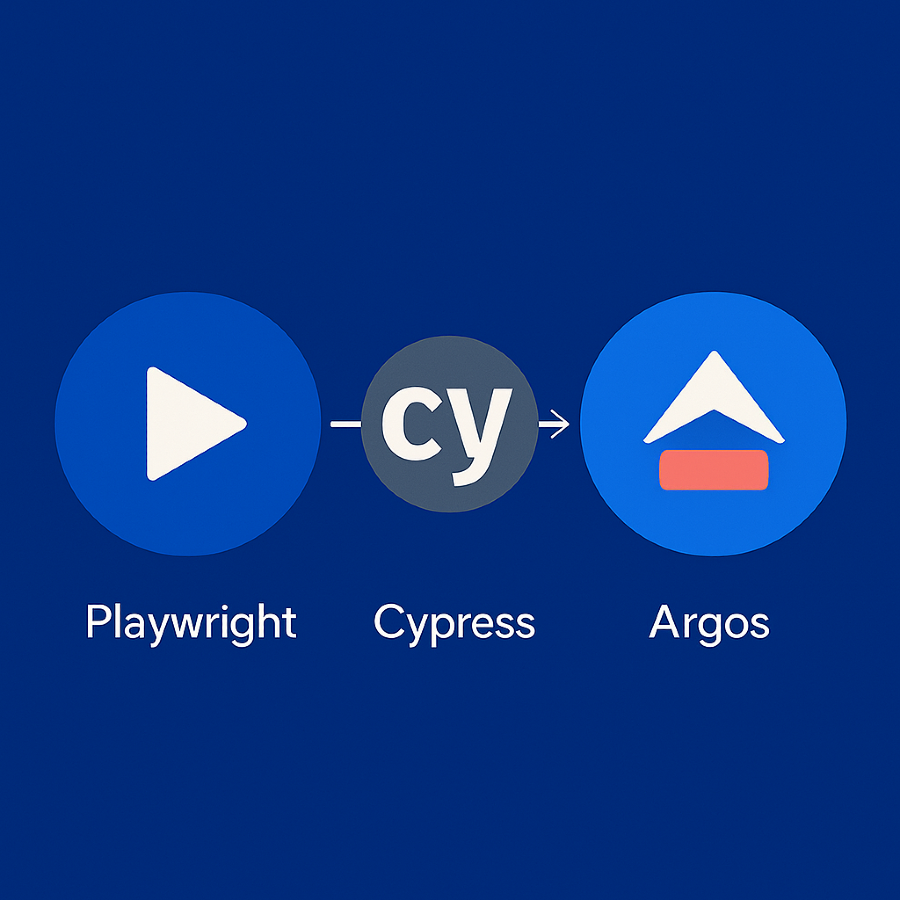
Screenshot capture is delegated to your test framework - typically Playwright or Cypress.
This separation is intentional - it keeps the system modular and sustainable.
Implementation workflow
1) Create an Argos project
Go to https://argos-ci.com
Create an organization + project
Obtain your ARGOS_TOKEN
2) Capture screenshots with your test framework

Playwright example:
import { test, expect } from '@playwright/test';

test('homepage hero remains visually consistent', async ({ page }) => {
  await page.goto('https://apple.com');
  await expect(page).toHaveScreenshot('hero.png', {
    maxDiffPixelRatio: 0.002 // acceptable deviation threshold
  });
});
Cypress example:
describe("homepage hero", () => {
  it("visual baseline match", () => {
    cy.visit("https://apple.com");
    cy.matchImageSnapshot("hero", {
      failureThreshold: 0.002,
      failureThresholdType: "percent"
    });
  });
});
Thresholds define acceptable visual variance - not pixel perfection.
Real-world UI often contains minor rendering variance that is invisible to users.
3) Mask unstable areas
Dynamic UI elements are unpredictable: carousels, tickers, time-based counters, personalized cards.
Mask them:
await page.addStyleTag({
  content: `
    .ticker, .promo-rotator {
      visibility: hidden !important;
    }
  `
});
This reduces unpredictable diffs dramatically.
4) Install and configure Argos CLI
npm i @argos-ci/cli -D{
"scripts": {
"argos:upload": "argos upload ./test-results/screenshots"
}
}5) Integrate with CI
- run: npx playwright test --shard=${{ matrix.shard }}/6
- run: npm run argos:upload
  env:
    ARGOS_TOKEN: ${{ secrets.ARGOS_TOKEN }}
Parallel execution is supported - Argos does not assume sequential jobs.
Reviewing changes
After the pipeline completes, Argos annotates the pull-request:
| status | meaning |
|---|---|
| passed | no visual differences found |
| review required | a visual change was detected |
| error | screenshots invalid or missing |
If differences exist, a reviewer opens the Argos UI.
The UI displays:
- baseline
- current run
- visual diff overlay
The reviewer confirms whether the difference is intentional.
If yes - they approve - and the baseline is updated centrally.
Baseline becomes a team asset - not a private artifact.
This is baseline governance in practice.
How this interacts with design tokens
Design systems define configuration layers - type scale, spacing tokens, semantic color roles, corner radii, elevation levels.
These tokens are not visual artifacts by themselves - they are rules.
Visual regression confirms that in production, the UI still reflects those rules.
Argos does not interpret tokens - it verifies their consequences.
It functions as the runtime checkpoint of visual identity.
Enterprise failure patterns (and why they repeat)

Visual regression is not “difficult technology.”
The difficulty is organizational.
Three failure modes recur across enterprises
1) “Local truth”
Baselines are generated on laptops - different OS, fonts, rendering flags.
One machine with slightly different settings poisons the entire baseline.
Argos fixes this by eliminating local capture.
2) “Baseline as file, not decision”
Teams treat baseline PNGs as frozen truths.
But a baseline is not a file - it is a decision.
If that decision is not explicit, visual drift stays invisible until stakeholder escalations.
Argos enforces review → approval as a decision.
3) “Diff without owner”
Diffs stored somewhere “out there” have no owner.
Argos binds diffs to pull-requests - the exact place where ownership already exists.
This is the difference between “there is noise somewhere” vs “we block merge until someone reviews the visual change.”
Six months after adoption what teams actually see

Six months after rollout, the patterns become consistent across mid-sized engineering teams. The first thing that becomes obvious is that the number of visual outages goes down not because people write more tests, but because the baseline finally becomes a first-class artifact inside the delivery flow. Visual regression stops being a “special testing step.” It becomes infrastructure.
Secondly, teams discover that visual differences do not correlate with code changes -they correlate with content changes. Marketing uploads a new hero image. A new product tier appears. A different locale uses a slightly longer word. A new promotion banner adds two pixels of padding. These are not code regressions - these are visual regressions. Before Argos, these events were invisible until a PM or designer spotted them manually on staging.
Third, visual feedback begins to influence prioritization. When a diff appears repeatedly in the same region, it becomes a governance signal: the design system needs stronger rules in that component domain. Argos does not enforce design - it reveals where the design system is weak.
By month six, the tool itself becomes less interesting. What becomes valuable is the habit. Visual identity is no longer assumed - it is continuously verified. That is the moment the discipline sticks.
Performance benchmark
Test case: a marketing site similar in scale to a Shopify landing page.
- ~84 screenshots per pull-request
- Playwright on GitHub Actions (Ubuntu)
- runner time: 29–33 seconds
- upload to Argos: 8–11 seconds
- diff computation: 2–4 seconds

Total: ~45 seconds per PR end-to-end.
Equivalent BackstopJS setup: ~3+ minutes due to local browser provisioning.
A real pitfall and the fix
CSS transitions introduce animation variance that corrupts diff accuracy.
Fix:
await page.addStyleTag({ content: '* { transition: none !important }' });This eliminates transition-driven pixel drift and stabilizes visual tests.
Why Argos is the pragmatic choice
Visual regression tools — practical constraints
| tool | primary constraint |
|---|---|
| Percy | cost structure unsuitable for many teams |
| BackstopJS | maintenance overhead shifts onto engineering |
| Chromatic | optimized for component libraries, not full-page surfaces |
| Argos | minimal setup, CI-native, baseline governance included |
Visual regression tools don’t fail because of features - they fail because baseline governance is missing.
Argos focuses precisely on that.
It does not try to be universal. It solves the part that determines whether visual regression works at all.
Conclusion
Visual regression is not a technique - it is a discipline.
Centralizing and governing the baseline is the unlock.
Argos is the mechanism that supports that governance with minimal operational friction.
When baseline stewardship becomes part of pull-requests, UI consistency stops being accidental and becomes a controlled engineering property.
Visual identity changes only when the team deliberately approves it.
That is the difference between “taking screenshots” and “operating a visual regression system.”
Feb 10, 2026

Drives the technical vision at Ramotion, uniting engineering excellence with design innovation to deliver scalable, secure, and user-focused digital solutions.