
Google's research found that 53% of mobile users abandon a page that takes more than 3 seconds to load. React lazy loading addresses this critical performance challenge by loading only the necessary code when needed, dramatically reducing initial load times.
In this guide, we'll explore what is lazy loading in React, how to implement React lazy load component techniques using React Suspense, and master React code splitting strategies. You'll discover where to apply lazy loading React patterns, avoid common mistakes, and optimize your application's performance effectively.
Whether you're optimizing an existing codebase or working with custom web app development companies to build a new product, these techniques are essential criteria to evaluate when choosing who to hire for performance-critical React work.
What Is Lazy Loading in React?
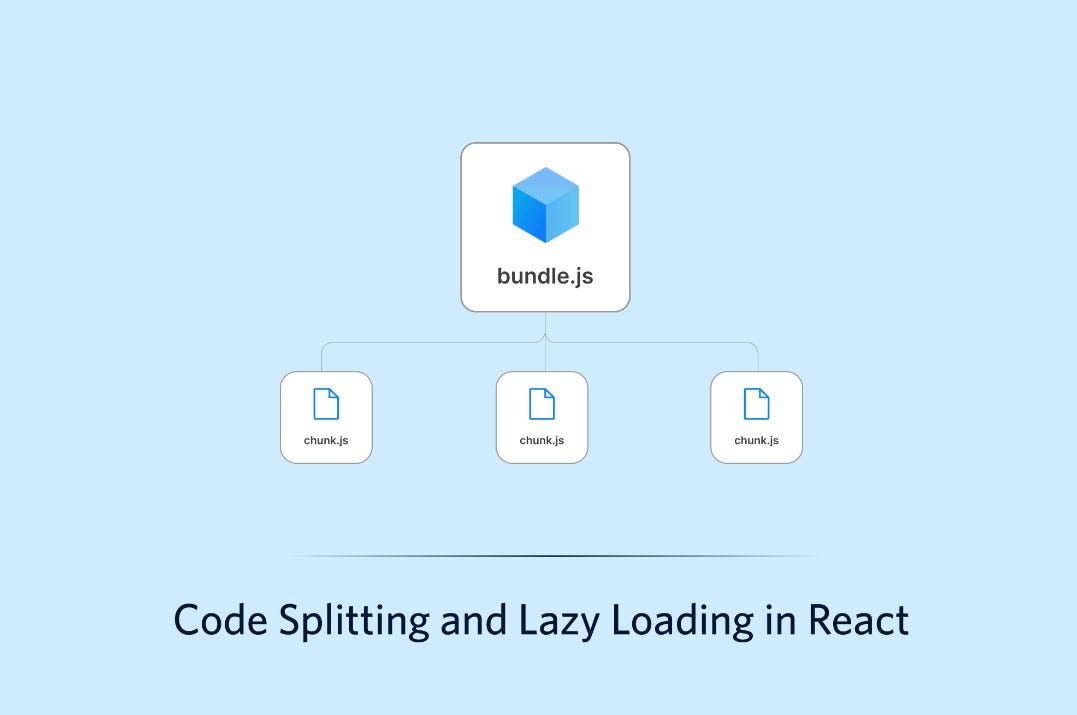
Code splitting and lazy loading (Source)
Lazy loading in React defers the loading of component code until the component renders for the first time. This performance optimization technique loads only required content initially, while additional components or modules load asynchronously when needed.
Rather than bundling all routes and components upfront in a single JavaScript file, React allows you to transform static imports into dynamic, on-demand chunks.
React provides the lazy() function to implement this pattern. You call lazy outside your components to declare a lazy-loaded component. The function accepts a callback that returns a Promise or another thenable object with a then method.
When you attempt to render the component, React calls this load function, waits for the Promise to resolve, and then renders the resolved value's .default as a React component.
The mechanism relies on dynamic import() introduced in ES2020, which returns a Promise that resolves with the exported module once the network request fetches that chunk. Both the returned Promise and the resolved value get cached, so React never calls load more than once.
Consider the difference between traditional static imports and lazy loading. Traditionally, you might write import MarkdownPreview from './MarkdownPreview.js'.
With lazy loading, you replace this with const MarkdownPreview = lazy(() => import('./MarkdownPreview.js')). The lazy component code won't load until you attempt to render it.
While the component code loads, attempting to render it will suspend. React Suspense handles this loading state by accepting a fallback prop that displays placeholder content, such as a loading indicator or spinner.
You wrap the lazy component or any of its parents inside a <Suspense> boundary. For instance, <Suspense fallback={<Loading />}> wraps your component, and users see the Loading element until MarkdownPreview finishes loading.
You can place the Suspense component anywhere above the lazy component, and even wrap multiple lazy components with a single Suspense boundary. When a component suspends after already being shown to users, React hides its tree up to the closest Suspense boundary to keep screen content consistent.
Error boundaries manage loading failures from network issues or other problems. Since React 18, lazy and Suspense work on the server through streaming SSR APIs like renderToPipeableStream for Node.js.
The pattern requires that lazy components export as the default export. Components that never render won't bundle into the app or load at runtime.
Lazy Loading vs. Code Splitting
The terms code splitting and lazy loading often get used interchangeably, yet they describe distinct optimization techniques that serve different purposes in React applications. Understanding this distinction helps you apply the right approach for specific performance challenges.
Code splitting breaks your JavaScript bundle into smaller, independent chunks during the build process. Tools like Webpack and Rollup handle this separation, creating multiple bundles that load on demand rather than forcing users to download everything upfront.
The technique relies on dynamic import() statements that define where your application splits into separate modules. When you implement code splitting, you reduce the overall bundle size that reaches the browser.
Lazy loading, on the other hand, defers loading specific components or features until users actually need them. In React, you use the lazy() function to wrap components, creating placeholders while the component code fetches asynchronously at runtime.
The relationship between these techniques reveals their complementary nature. Code splitting provides the infrastructure that makes lazy loading possible. You first split your application into logical modules, then lazy load those modules when required. For instance, consider an application with Login, Dashboard, and Listing pages.
Without optimization, all page code bundles into a single JavaScript file. Users visiting the Login page unnecessarily download Dashboard and Listing code. By implementing code splitting, you create separate chunks for each page. Adding lazy loading means these chunks only fetch when users navigate to specific routes.
Performance metrics demonstrate the combined impact. Code splitting can reduce your bundle from 1,500 KB to 900 KB. Lazy loading improves First Contentful Paint and Largest Contentful Paint by focusing the initial render on critical components only.
Together, these techniques can cut page load times by up to 40%. One streaming service reduced initial page load times by 30% using lazy loading with React Suspense for features like player settings and recommendation engines.
Route-based code splitting offers the best starting point because each route becomes its own chunk, with only the active one loading. This typically delivers the largest reduction in initial JavaScript.
Component-based code splitting provides more granular control, allowing precise optimization of individual elements. Large components with significant code, conditional components not always needed, and secondary features make ideal candidates for lazy loading.
Consequently, you can combine both strategies effectively. Split your application into feature-based bundles, then lazy load components within those bundles as needed.
However, too many small chunks increase HTTP requests, potentially hurting performance due to network latency. Webpack's Bundle Analyzer helps you find the right balance. Critical components should always load upfront, particularly when using server-side rendering.
React.lazy and Suspense
React implements lazy loading through two core APIs that work in tandem. The React.lazy() function accepts a callback that returns a dynamic import() statement. This syntax looks like const MyComponent = React.lazy(() => import('./MyComponent')).
When you attempt to render this component, the function throws a Promise. React catches that Promise, waits for it to resolve, and renders the resolved module's .default export as a component.
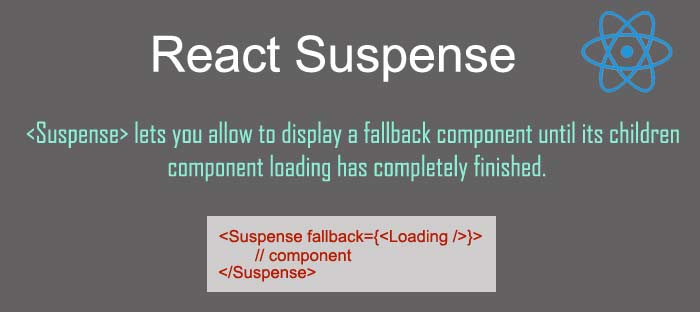
React suspense (Source)
The Suspense component handles the loading state during this asynchronous operation. You wrap lazy-loaded components inside <Suspense fallback={<Loading />}>, where the fallback prop accepts any React element to display while code fetches.
Without Suspense, attempting to render a lazy component crashes your application. The fallback can be as simple as a loading message or as complex as a skeleton screen matching your UI layout.
You can wrap multiple lazy components with a single Suspense boundary. When you structure code like <Suspense fallback={<p>Loading...</p>}><AvatarComponent /><InfoComponent /><MoreInfoComponent /></Suspense>, React displays one loading indicator until all three components finish loading, then reveals them simultaneously.
Network failures require error boundaries because Suspense only handles loading states. If a user goes offline or your server fails mid-download, the dynamic import throws a ChunkLoadError.
Wrap your Suspense boundary with a component that implements static getDerivedStateFromError() or componentDidCatch(). Inside the error boundary's render method, return your children when no error occurs, or display a recovery message when loading fails.
React.lazy requires components to use default exports. The Promise must resolve to a module with a .default property containing your component. Named exports cause the component tree to never recover, leaving users stuck on the fallback UI.
Moreover, declare lazy components at your module's top level, never inside other components. Declaring them inside causes all state to reset on re-renders because React treats each declaration as a new component type.
Preloading addresses delays when loading critical components. You can call import('./LazyComponent') inside a useEffect hook on app mount, fetching the component before users need it. This combines lazy loading's bundle splitting with eager fetching for seamless transitions.
Where to Use Lazy Loading
Identifying the right places to implement lazy loading determines whether you gain performance benefits or inadvertently slow your application. Applications with numerous components or screens that users don't access frequently make ideal candidates.
Application size matters significantly. Lazy loading shines in large, complex applications with many components and dependencies. On the other hand, applying it to small applications proves counterproductive because multiple requests for small components create slower performance than loading everything in a single request.
Consider an application with two sections, A and B, where each consumes 1 MB and requires approximately 1 second to load. Users typically access either section exclusively, or rarely switch between them. Loading the complete application costs users 2 MB of data and 2 seconds of wait time. Proper lazy loading cuts both metrics in half.
Route-based lazy loading delivers the most significant impact. Components tied to specific URLs in your application, particularly those users access infrequently, should load only when navigation occurs. Beyond routes, component-based lazy loading applies to UI sections not attached to page routes.
These normal components display interface elements that users might never see during their session. Images present another prime opportunity, especially when pages contain hundreds of them. Loading images just before they appear in the viewport makes fewer immediate requests and prevents performance degradation.
In similar fashion, Redux reducers can inject dynamically only when needed, shrinking the initial store size. Third-party libraries and large datasets benefit from the same approach.
Components not needed on initial page load, such as below-the-fold content or elements appearing only after user interaction, qualify for lazy loading. Conditionally rendered components used in specific scenarios rather than universally also make strong candidates. However, overuse creates problems.
Too much lazy loading slows component rendering and degrades user experience, particularly on devices with slower processing power. Search engine optimization suffers because crawlers struggle to understand application content when everything loads asynchronously.
Lazy Load Routes and Heavy Components
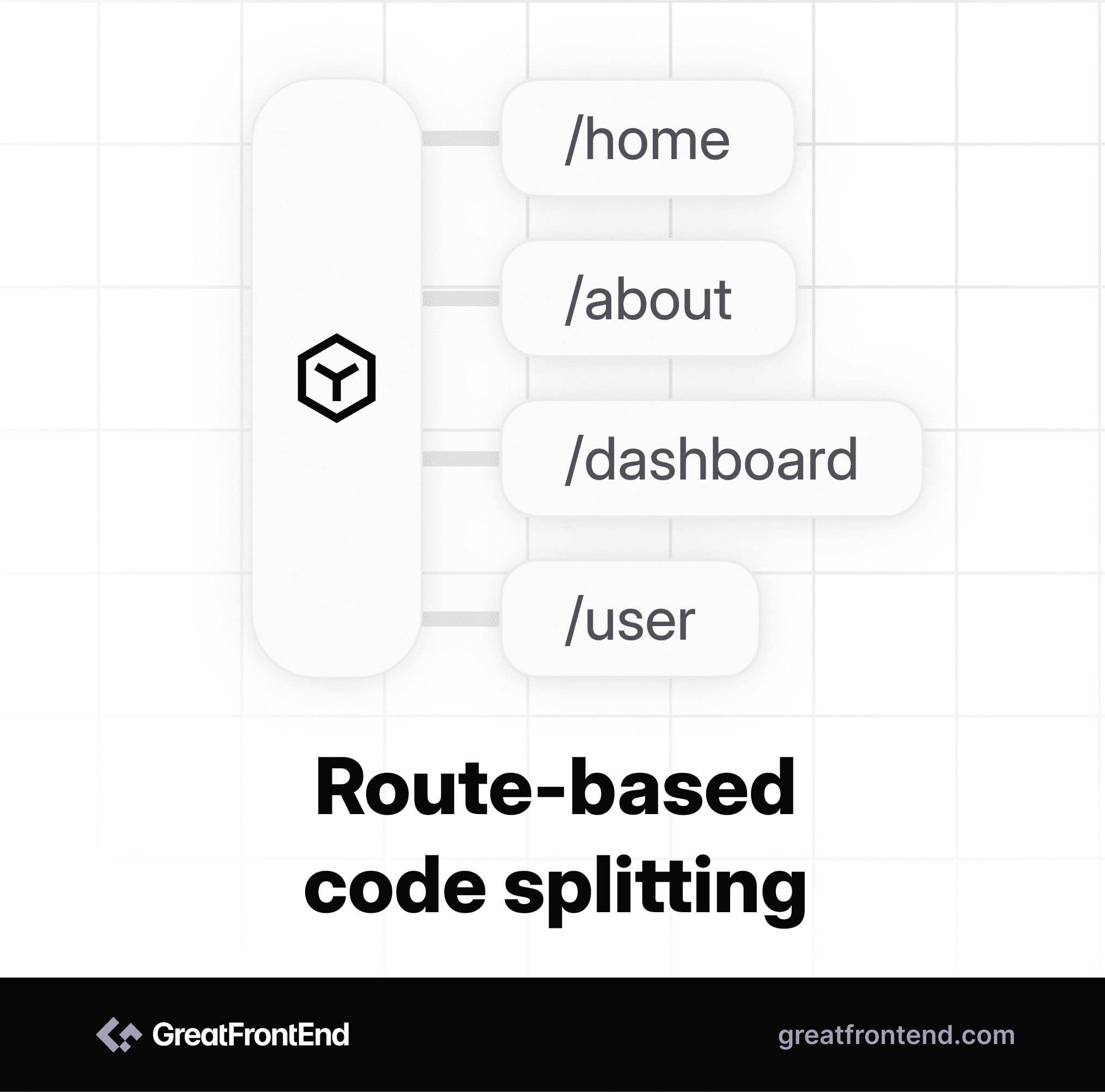
Route based lazy loading (Source)
Routes naturally segment your application into distinct entry points, making them ideal candidates for react lazy implementation. React Router provides a lazy() method on route definitions that lifts route fetching outside the render cycle.
In contrast to calling React.lazy() during component rendering, this approach fetches route modules in parallel with data loaders, eliminating the render-then-fetch chain that slows navigation.
Structure your routes by keeping frequently accessed paths like layouts and home pages in your primary bundle while moving secondary routes into dynamic imports. For instance, { path: 'projects', lazy: () => import("./projects") } creates a separate chunk that only loads when users navigate to that path. This strategy trims your critical bundle to include only essential entry points.
Performance improves further when you separate loaders from components. Route modules typically export both a loader function and a Component, requiring the entire module download before data fetching begins.
Since loaders usually make small API calls while components contain large UI trees, blocking the loader with component downloads wastes time. React Router executes statically defined loaders in parallel with the lazy() function, allowing data fetches to start immediately while components download separately.
Heavy components like modals, charts, and rich text editors consume substantial bandwidth but users might never interact with them. Wrap these elements in conditional rendering combined with react suspense.
When isModalOpen toggles true for the first time, the JavaScript fetches on demand. During this period, skeleton loaders prevent layout shifts by approximating the final content's dimensions.
Component-based react code splitting grants precise control over individual elements. Analogous to route splitting, you can defer loading until user interaction triggers the need. A chart component wrapped in const Chart = React.lazy(() => import('./Chart')) remains unbundled until showChart becomes true.
This pattern works particularly well for dashboards where users access specific panels rather than viewing everything simultaneously.
Common Mistakes and Best Practices
Splitting every small component defeats the purpose of bundling and makes debugging harder. A 5 KB component loaded asynchronously costs a network round-trip of 100-300 ms on 3G connections to save almost nothing. Focus lazy loading on components in the tens of kilobytes or larger, or those pulling heavy dependencies.
Several mistakes consistently undermine lazy loading benefits:
- Lazy loading above-the-fold content defers exactly what users want to see first. Apply lazy loading to interaction-gated or route-gated content instead
- Bad Suspense boundary placement causes visible flashing when wrapping deep grandchildren without considering what unmounts during transitions. Position boundaries at natural loading units like routes, panels, or cards, not at leaf components
- Forgetting Error Boundaries leaves lazy imports vulnerable to network failures, mid-session deploys, or expired hashes. Without co-located error boundaries, failures crash the parent tree
- Treating import() as instant creates poor experiences when users wait 800 ms on spinners. Combine lazy loading with prefetching for high-probability interactions
- Declaring lazy components inside other components resets all state on re-renders. Always declare them at your module's top level
For best results, preload components users will likely need. Call import('./Component') on hover or focus events to fetch code before rendering begins. Employ lazy loading selectively for non-critical components rather than making everything lazy. The overhead of managing splits can outweigh benefits in small applications.
Handle errors by adding .catch() to dynamic imports, returning {default: jsx} to prevent crashes. Combine this with Error Boundary components wrapping Suspense boundaries.
Use skeleton UIs matching your layout rather than generic spinners. Bundle analysis tools reveal optimization opportunities and help set performance budgets. Specifically, Webpack's Bundle Analyzer identifies which components justify splitting versus which should remain in your main bundle.
Conclusion: Lazy Loading With a Performance Goal
I encourage you to apply these lazy loading techniques to your React applications and measure the performance improvements firsthand.
Throughout this guide, we explored how React lazy loading transforms application performance by loading components only when needed. We covered the fundamentals of React.lazy() and Suspense, distinguished between code splitting and lazy loading, and identified optimal implementation scenarios for routes and heavy components.
As a result, you now understand how to reduce initial bundle sizes, improve Core Web Vitals, and enhance user experience through strategic code splitting. Remember to focus on large components, place Suspense boundaries thoughtfully, and combine lazy loading with error handling for production-ready applications.

Creates insightful, strategy-driven content that translates complex design and branding concepts into accessible knowledge, supporting Ramotion’s mission to elevate digital experiences.