
The SaaS model carved out its niche long ago, with over 200,000 companies operating globally across industries like Health, Finance, Retail, Banking, Construction, Logistics, Hospitality, IT, and even Real Estate. It occupies 25% of the entire market and generates over $375 billion in revenue1.
While this diversity and dominance across market sectors benefit the target audience by providing solutions for almost any need, it makes it difficult for entrepreneurs to enter the market successfully with a unique idea.
However, this tough competition also makes it possible for startups to enter the niche, as clients are spoilt for choice and don't settle on just one option, no matter how popular or long-established it may be. Customers rely on several key factors, including product quality, an intuitive interface, a seamless collaborative environment, system-status visibility, repeat-use efficiency, and pricing.
Therefore, if you want to turn your idea into a profitable SaaS product, you should start by meeting all those criteria, and the best way to do it is to follow the best practices. Here are a dozen outstanding SaaS UI examples that fulfill customers’ needs, preferences, and expectations across various aspects like navigation, onboarding, team collaboration, clarity, scalability, and speed to first value.
What Makes SaaS UI Different?
What makes SaaS UX design unique is its core and purpose. Namely, the purpose of SaaS products makes the niche stand out from the crowd and clearly differentiate from other web and mobile designs.
As a model where services are provided to the client without the need for local installation, everything- from the technical requirements for the program to run successfully to the actual workspace that solves the problem - is done by the development team.
The team must handle the entire user lifecycle, from purchase to ongoing upgrades that keep up with changing market demands and expectations; their UI designs must be clear, intuitive, and user-friendly, provide assistance at every step, and scale to accommodate high data density and fast-paced market demands.
SaaS application designs must also meet all regulations, laws, and standards for web accessibility and responsiveness, ensuring clear data display for people with different backgrounds, needs, and expectations.
These vital aspects make SaaS UI design unique and require startups not only to commit time and effort, but also to collaborate closely with leading UI/UX design agencies to avoid missing critical details.
SaaS Onboarding and First-Value UX
For most clients, onboarding is their first interaction with a SaaS product. Interactive guidance helps them learn the product's core features and complete their first meaningful task quickly, efficiently, and stress-free.
On the other hand, a well-thought-out walkthrough builds trust, cements new relationships, reduces early user drop-off, and turns clients into long-term subscribers by letting them experience the service's core value right away. Here are several user interface examples of onboarding routines to demonstrate their necessity and value.
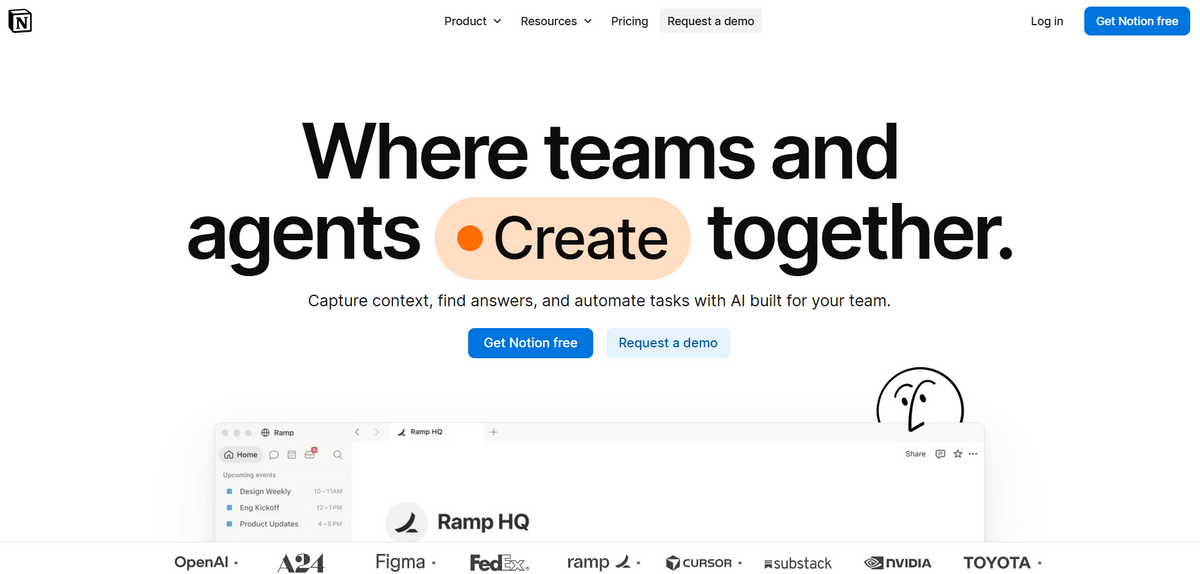
Notion: template-based user onboarding
Notion is a popular application for automating busywork and creating a handy workplace for individuals and teams, where they can use various tools and apps to improve task efficiency. Its SaaS interface design has many cues for a productive orientation routine.
Because the service starts with a blank canvas and a toolbar, it can feel intimidating for users, especially newcomers who have never worked in such an environment. To reduce confusion and overwhelm that might scare anyone away, the team adopted a short, conversational, template-based Q&A that unobtrusively gives clients the information they need to get started.
Slack: team-based workspace setup
Slack is a global communication tool that connects teams internationally and provides a centralized digital workspace that unites teammates, databases, apps, and artificial intelligence.
Their onboarding is a great SaaS UX design solution. It resembles a traditional walkthrough that leads new customers through the main features to eliminate friction. It prioritizes core functionality by showing how to set up, name, and automate channel creation; invite teams; assign roles; tag client points of contact; pin resources and canvases; and use other key features so users can get to work right away.
Canva: learn by creating
Canva is a powerful graphic design platform that lets clients turn ideas into visual concepts. Whether it is a book or a UI design, it has the tools to shape it.
With thousands of templates, hundreds of assets, and a wide range of settings, it can feel intimidating for non-tech-savvy customers. After all, much like Notion, Canva opens with a clean canvas and a complex toolbar.
Therefore, onboarding is critical for the dev team to ensure clients get what they need without hassle. Their walkthrough introduces the product by highlighting key features and teaching users the essentials. Step by step, they learn the basics, create their first design, and get acquainted with the environment and main instruments, eliminating the need to watch or read long tutorials.
Navigation in Complex SaaS Products
Because the SaaS model’s mission is to give clients a feature-rich workspace to solve urgent issues, it must not only support extensive functionality but, more importantly, ensure intuitive navigation, since too many tools and actions in one space can easily intimidate even professionals.
Therefore, SaaS navigation patterns excel at providing the best path or visual cue so users can reach their goal fast. Here are some exceptional user interface examples of navigation systems in popular feature-rich SaaS products.
Linear: fast navigation for power users
Linear app is an elegant, hassle-free alternative to Jira - an AI-driven software tool to plan and build purposeful products for software teams. Although it is designed for digital engineers who know the tools they need, its AI core and strong potential still require some explanation to speed up first-time task completion and workspace personalization.
Its navigation is a SaaS UX design worth considering closely. As the software was created to accelerate development processes, its navigation system is centered around convenience and speed by providing users with quick access to commands through a keyboard-driven interface. It relies on a clean, predictable visual and information hierarchy, a vertical sidebar, modal views, a command palette, and plenty of white space.
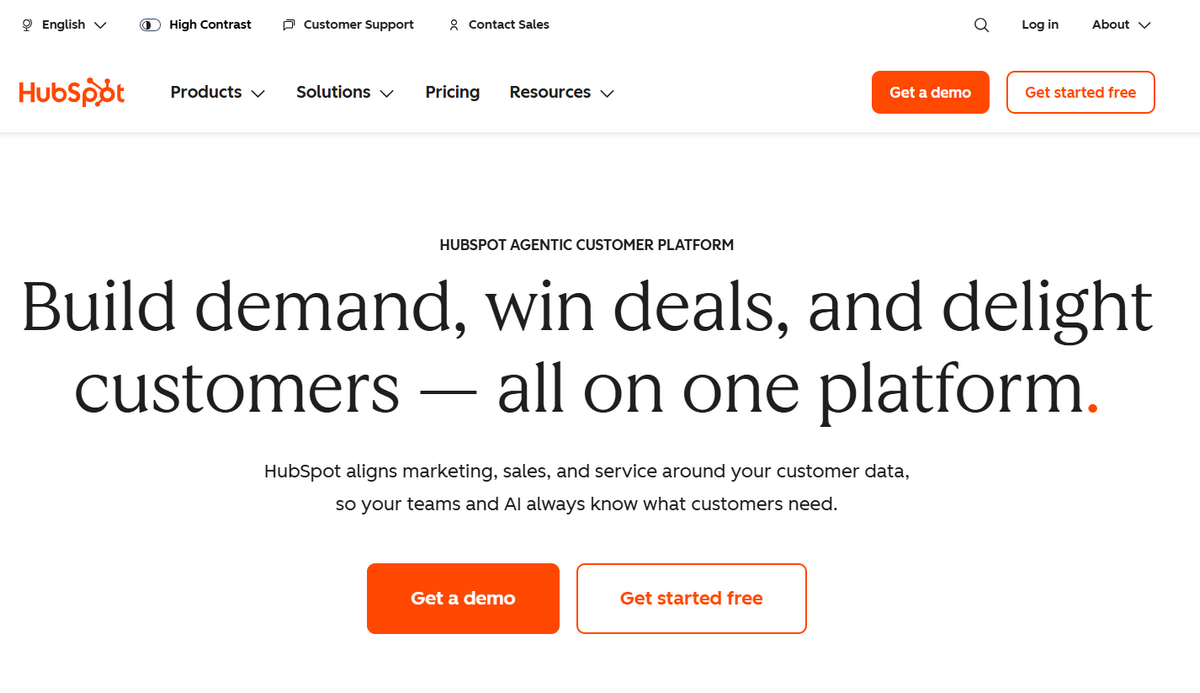
HubSpot: navigation across a large product suite
HubSpot does what it says – it is a hub for marketing, sales, content, data, and analytics, coming as a powerful, complex, and feature-rich platform vital for entrepreneurs to boost their businesses.
The software is designed to handle multiple tasks and work with diverse data, with a dense interface. Its well-thought-out navigation system is key to great usability, user-friendliness, and efficiency.
Easy and intuitive feature discoverability is realized through module grouping, records, command menu, main sidebar nav, contextual actions, and even keyboard shortcuts.
GitHub: repository-centered navigation
GitHub, much like the Linear app, was created to help developers accelerate and improve their workflows by storing, managing, and collaborating on software code in the cloud. Operated by Microsoft, it carries a seal of quality and has millions of users worldwide who share projects and build them on the spot.
Because the software must keep complex workflows organized, create a role-based experience for users, and give fellow digital nomads a handy interface, its navigation system is a true masterpiece that relies heavily on usability and accessibility best practices. They use navigation tabs, quick access icons, search, command palette, repository navigation, code navigation, and even traditional breadcrumbs.
SaaS Dashboards and Data-Heavy Workflows
A dashboard is an integral element of every SaaS application design; after all, this software model implies a feature-rich workspace that must provide the right tools inside the user-friendly environment to solve customers’ issues in a non-obtrusive way.
It is a central part of the interface with shortcuts to vital data that displays key assets to support users’ decisions and manage operational data. Here are three great SaaS design examples of how professional applications handle data-heavy workflows through intuitive command centers.
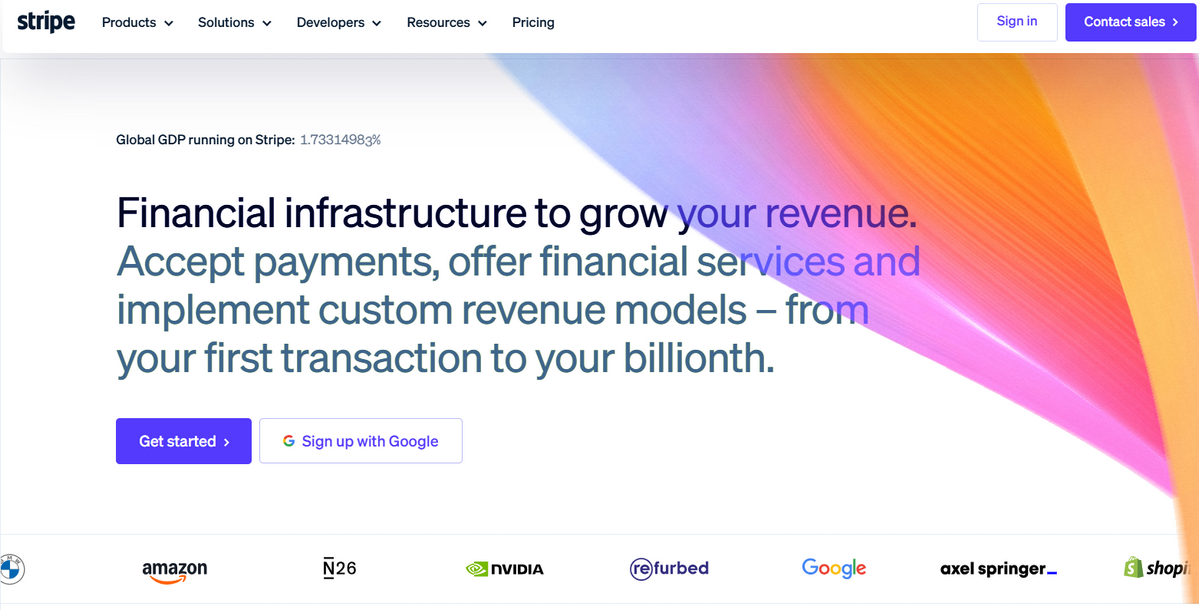
Stripe: metrics to transaction detail
Stripe gives us many valuable lessons in SaaS dashboard design. It is a global payment system that handles millions of people and trillions of transactions daily with reliable programming interfaces for e-commerce websites and mobile apps.
This global financial software provides not only payment gateways but also vital business-level metrics like gross volume and net sales, payment and failure logs, customer growth, and top buyers. Therefore, the dashboard is a critical element here. It has filters, drill-down flows, states, and operational actions that adapt to regional differences and account-specific personalization.
Sentry: issue prioritization over raw events
Sentry is a popular developer tool whose task is to create a comfortable and feature-rich environment for diagnosing projects and locating and fixing bugs. It also monitors progress and performance, giving clients the information they need to improve and streamline workflows.
Their SaaS dashboard design prioritizes issues over raw events, giving users a quick yet vital overview of such crucial data as problems, inconsistencies, and performance metrics. It has a modular, widget-based layout with charts, graphs, AI telemetry, tables, performance metrics, and freeform text widgets for personalization. On top of that, clients can build customer dashboards.
Datadog: high-density monitoring UI
A centralized dashboard lies at the heart of Datadog, as the application monitors, collects, and analyzes all sorts of data, including performance metrics, logs, and events. It not only works with data, but also creates a complex environment with cloud services that help dev teams monitor performance effectively, surface failures and issues in the system, and ensure the health of their environments.
It's no surprise that the application employs a highly intelligent yet intuitive, clean dashboard solution. The latter looks like a modular command center that relies on a 12-column grid and functional widgets (like graphs, query values, log streams, or geomaps) that could be resized, auto-aligned, and snapped into different places to create a comfortable, personalized space.
Creation and Collaboration in SaaS UI Design
A collaborative environment is a crucial feature for many SaaS products, as it addresses market pain points, improves workflow, and maximizes efficiency. This typically involves providing business owners and their employees with a productive, fast, and transparent unified space to make the most of diverse skills.
Figma: collaboration around a shared canvas
Figma is the core tool for creating wireframes, animations, and digital interfaces like websites and mobile applications, with all the tools UI and UX designers and developers need. Powered by AI, it also helps non-design-savvy entrepreneurs shape their ideas through an immersive library of templates and components.
Creating interfaces for digital products is a complex task that involves not only designers but also developers, marketers, and even product managers. Therefore, Figma is collaborative software that applies best UX practices to provide clients with an intuitive yet complex multi-user workspace. It opens with a clean canvas shared across roles and populated with key features such as comments to improve efficiency and reduce unnecessary complexity.
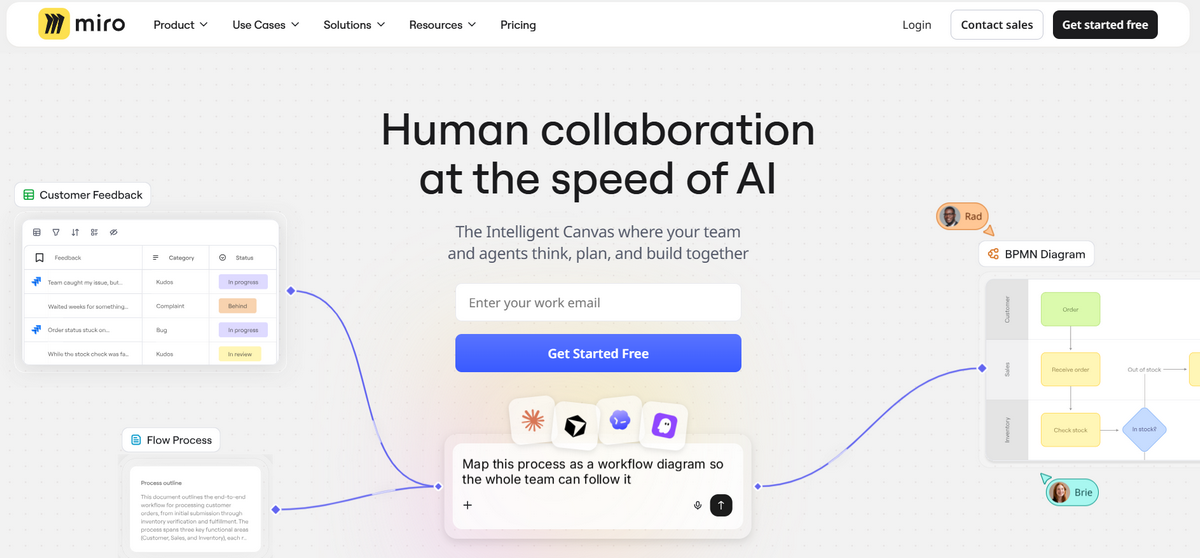
Miro: progressive tools on an infinite canvas
Designed for remote teams that need a comfortable digital workspace to share ideas, complete role-based tasks, get clean feedback, use shared content, and maintain clear participant awareness, Miro is a strong SaaS product built around visual collaboration.
It offers an infinite whiteboard where everyone can contribute, with quick access to templates, contextual controls, navigation, and key collaboration features to brainstorm, map, diagram, and plan ideas.
Airtable: multiple views of shared data
Airtable is a lightweight CRM platform with content calendar and project-tracking tools for project managers, marketing teams, creative ops, HR departments, and even engineers. It offers a collaborative environment for managing sprints, roadmaps, tracking lead stages, logging communication histories, and building trigger-action rules.
Their SaaS interface design is a powerful collaboration dashboard that supports diverse views, workflows, and datasets. Using a flexible data model, they reduce operational complexity and provide a handy, intuitive space with quick access to vital functionality for all team members.
Search, Filtering, and Record Management
SaaS products are known for their multifunctionality and complex yet intuitive environments that give clients and their teammates the tools they need to complete many tasks successfully.
With processes like dataset operations, CRMs, workflows, role-based interventions, and multiple records, these platforms rely heavily on search, filtering, and record management to ensure a comfortable and, most importantly, productive workspace where customers get what they need fast and efficiently. Here are several SaaS UX designs as proof.
Attio: flexible CRM record management
Powered by AI technologies, Attio is a modern CRM whose SaaS interface design is certainly worth examining closely.
The application meets the needs of startups that want to scale their businesses by helping them design tailored datasets, track sales funnels and deal progression, support automated email sequences, and systematize customer interactions.
The platform deals with a ton of lists, records, attributes, metrics, and datasets. Here, search and filtering are critical instruments that help clients sift through data effectively, isolate only what matters, support role-based personalization, query calculated parameters, and reduce cognitive load for faster decision-making. They also help the software retain good structure for effective operational use.
Intercom: conversation triage and context
Intercom is an omnichannel chatbox that connects business owners and their clients through live chat, email, social media, and mobile apps, taking customer service to the next level. It has tools to track statuses, store customer comments and contexts, organize inboxes and assignments, and automate workflows.
Like in the Attio app, Intercom's search and filtering lie at the core of great usability. They give users an intuitive environment, real-time updates, and a quick, efficient way to find what they need without losing time or getting overwhelmed by a mass of contextual information.
Shopify admin: managing products and orders at scale
Shopify does not need an introduction – it is one of the most popular solutions in e-commerce that knows a thing or two about how to sell goods and services to the global market. It is a complex, feature-rich, role-based software that helps its clients manage products, inventory, shipping, and payments. On top of that, it offers analytics and tracking to help business owners improve performance.
The platform could not survive without a well-thought-out search and filtering system. These two elements underlie a productive user experience that supports high-volume operational work, thousands of records, and diverse datasets that could be influenced by region and merchant plans.

SaaS Settings, Roles, and Permissions
A unified, multifunctional, permission-based space is not a whim - it is a necessity for SaaS solutions that serve teams, startups, and companies whose multiple departments collaborate daily.
The role system is the core security and organizational backbone that minimizes risk, mitigates issues, and prevents unexpected operational losses. Here are several great SaaS design examples of how this functionality is realized in popular SaaS apps.
Webflow: project vs. workspace administration
Webflow is a visual code editor created specifically for web developers and designers to launch responsive web projects without writing any code. It supports diverse team collaboration, including marketers, brand agencies, advertisers, content creators, and project managers, with each department playing a crucial role in the final product's success.
Workspace administration is essential here, as contributions must be controlled to avoid damaging a fragile structure and design during the development cycle. Therefore, its SaaS interface gives clients a meticulously controlled environment to set strict boundaries and roles.
Asana: team structure and permission visibility
Asana’s UI is one of the cleverest SaaS design examples. As a globally recognized work and project management platform that unites departments across verticals under one roof, the software offers essential functionality to personalize and secure workspaces, manage tasks, integrate with hundreds of third-party applications, track subtasks, assign individual and group projects, and more.
To manage projects, members, and access rights, the platform uses an intelligent, seamless permission and role system that ensures clear workflows and ownership, secure data and privacy, and productive task collaboration.
1Password business: transparent security controls
1Password Business deals with one of the most sensitive types of information a company might have: enterprise-grade passwords and credentials. Its core functionality is to ensure meticulous control over passkeys, credit cards, and secure notes through a clever role-and-permission system.
Using 13 vault-permission types and five capabilities to restrict access, the system enforces strict access control, limits potential data breaches, supports regulatory compliance, and separates duties.
Choosing the Right SaaS UI Pattern
SaaS UI patterns come in all shapes and sizes. Yet, all of them are broken into several foundational categories: architectural (the one responsible for core and layout), table (the one responsible for handling and demonstrating data), guidance (the one responsible for the user’s comfortable navigation), contextual (the one that stands behind advanced workflows with minimal clicks).
Every group has its own set of solutions, and every solution has its own pros and cons. How to select the right one? Here are several criteria for informed decision-making that lead to effective SaaS UI design.
Understand your user. What pain points are you going to address? This answer gives you clues about which UI patterns work best for directly resolving a recognized operational bottleneck.
Focus on your product, vision, and mission. How should your product communicate its value to users? How should it unlock its true potential? This tells you what interaction patterns you need to realize functionality, like a dashboard, command palette, sidebar navigation, etc.
Evaluate constraints and technical limitations. Along with well-established standards in responsiveness, usability, accessibility, speed, and flexibility, there are other aspects to consider. For instance, what kind of layouts does your target audience actually need (mobile, laptop, desktop, or all of them)?
B2B SaaS UI Design Scenario
Scenarios for designing a Business-to-Business Software-as-a-Service application interface vary by niche, product type, goals, vision, mission, idea, functionality, and even factors like laws, regulations, and accessibility standards. However, all of them have several common foundational stages.
First, the team should define these operational factors: the client profile, issues to address, data load, visible information on the screen, permission levels, and dynamic elements across the interface.
Then they need to decide on team roles, security compliance, data tables and data migration rules, a configuration wizard (including user onboarding), smart placeholders, and micro-interactions to avoid user confusion.
Afterward, the team establishes key principles such as clarity, error-prevention schemes, role previews, reusable component libraries, responsiveness, and accessibility. Finally, they can apply patterns and identify areas for improvement by tracking metrics, errors, and workflow efficiency.
What to Validate Before Reusing SaaS UI Design Patterns?
Reusing SaaS UI patterns offers many benefits, such as faster development, a uniform, consistent experience, lower support and maintenance costs, and streamlined communication across teams. However, to enjoy these advantages, you must validate patterns before using them. Here is some guidance on how to do that:
- User behavior. A thorough understanding of your clients' behavior, habits, literacy, preferences, and expectations gives you a clear picture of the mental models to use, the accessibility limits to meet, and the workflow intensity to cover.
- Data density. Data and how you handle it lie at the core of most SaaS products, as they define the information architecture and structure you need. Should it be just several widgets or a complex dashboard?
- Technical limitations. Your team’s abilities, existing design systems, and libraries dictate the right pattern for your specific situation.
- Task alignment over design. Prioritizing task resolution over design features is a vital criterion to meet users’ actual needs. Sometimes you need a complex solution; other times, a simple standard hack might do the trick.
- Content validation and progressive disclosure. Test the selected pattern to see whether it actually does what you need and fits the specific scenario.
Please note that these criteria are not an implementation checklist; they are analytical filters that give you information for better decision-making.
Conclusion
Using the right UI patterns to shape your idea and show its potential to customers underpins your product's success. However, this is where things get tricky. While the diverse SaaS world offers an immense range of UI solutions, that doesn't mean popular design systems will work for you, since your target audience’s behavior, habits, literacy, preferences, or expectations may differ from your competitors.
So, instead of copying a visual layout, entrepreneurs should adapt principles to their specific idea, market sector, information architecture, technical constraints, and other vital aspects.
Explore the best SaaS design examples, but always consider them through your strategic lens. Validate design patterns and select those that meet both sides' constraints, support progressive disclosure, and reflect the product’s operational model, user roles, and workflow limitations.

Creates insightful, strategy-driven content that translates complex design and branding concepts into accessible knowledge, supporting Ramotion’s mission to elevate digital experiences.