
About the tool
Ghost Variable Fixer started from a problem Figma doesn’t show you: when a variable is removed from a library or a file is detached, the bindings to it stay behind on nodes and styles. These ghost bindings are invisible in the UI, but they cause silent errors, broken token exports and conflicts when files are shared or a design system is migrated.
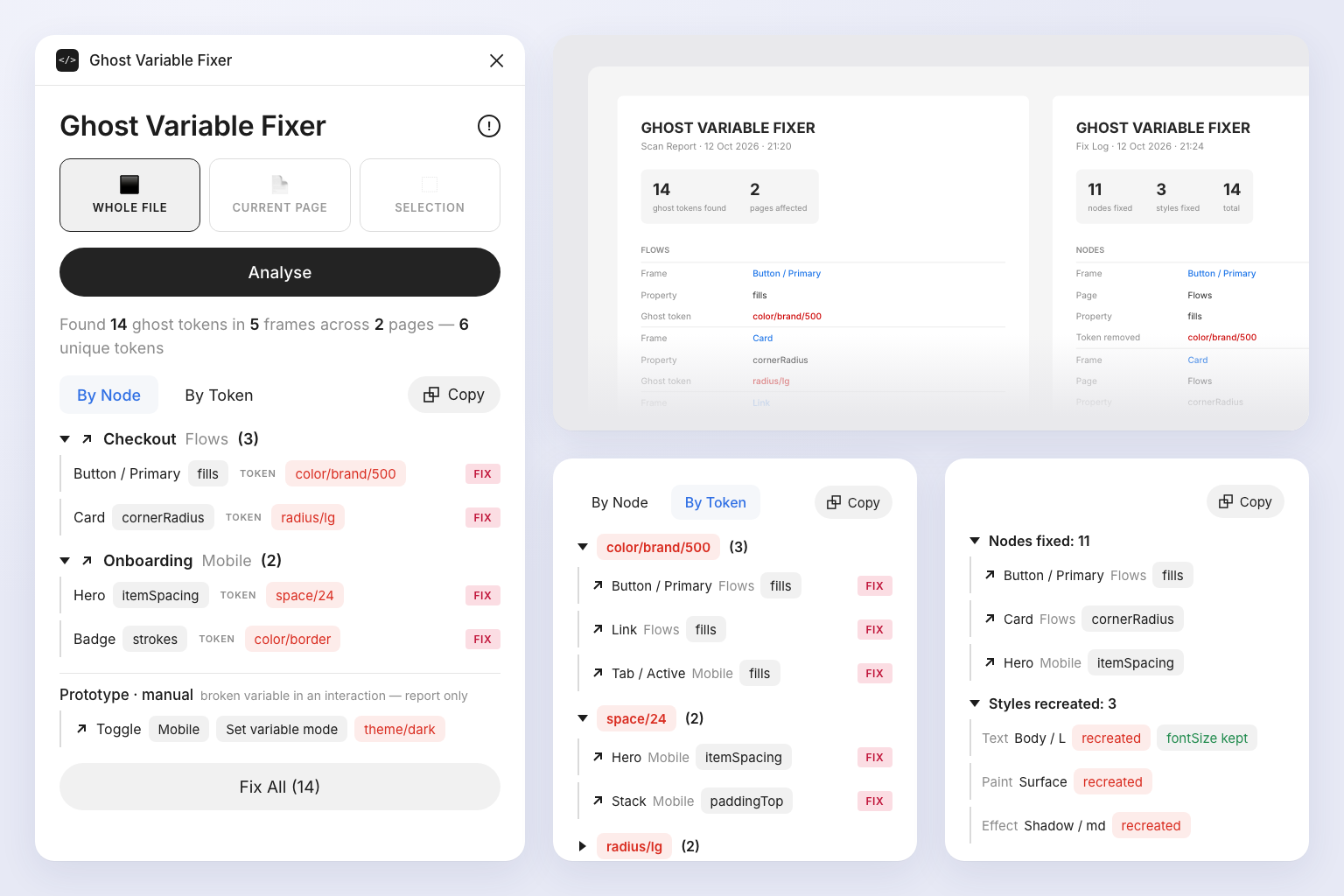
The plugin scans the whole file, the current page or a selection, lists every ghost binding with the field, token name and location, and removes them one by one or all at once. Bindings to live variables are never touched.
Features
- Flexible scope. Scans the whole file, the current page or just the selection.
- Detailed report. Lists every affected node and style with the field, token name and location.
- Safe fixes. Removes ghost bindings individually or all at once, leaving live variable bindings untouched.
- Two views. Groups results by node or by token for faster triage.
- Canvas report. Draws a visual report frame on the canvas after each scan and fix.
How it works
- Open the plugin. Launch Ghost Variable Fixer from Plugins in Figma. Choose the scope. Pick Whole File, Current Page or Selection.
- Analyse. Click Analyse to scan for ghost bindings.
- Review the results. Switch between the node and token views to see what’s affected and where.
- Fix. Click Fix on individual rows, or Fix All to clean everything in one go.