
When you’re starting with a website, you usually work with a small team and build maybe five to 10 pages. But then, three years pass, and now you’ve got 2,000 pages or more to manage. This is when most would rush to learn about and set up website governance.
In practice, good website governance helps teams move faster without constantly putting out fires. It’s about ensuring quality stays consistent as you scale and building systems that work.
What Is Website Governance?
Website governance is the system of rules, roles, and processes that govern how sites are built, maintained, and updated. It defines who publishes content, page standards, and responses to legal or compliance issues. What web governance is not is just one person approving every change or “whatever the CMS admin decides.”
Website Governance Framework Explained
A website governance framework is a repeatable operating system with three top-down layers: principles (set boundaries), processes (operationalize them), and execution (the work, enabled by tools).
The core building blocks of a website governance framework include:
- Roles define who’s accountable for what.
- Policies are the documented rules and standards.
- Workflows are the step-by-step processes from request to completion.
- Tools support everything else: your CMS, analytics, accessibility checker, and project management system.
- KPIs are metrics that show whether governance is working.
In practice: a request enters a workflow defined by policies, routes to the right roles for decisions, is implemented via tools, and is evaluated against KPIs. What you learn from the KPIs shapes updates to policies and workflows. Rinse and repeat.
Core Website Governance Components
These components are not a checklist you can implement independently. Each does something different, but they’re designed to work together as a system.
Roles and responsibilities
Governance often fails because nobody knows who owns what. You need defined owners:
- Site owner. Someone who sets direction, resolves team conflicts, and owns the roadmap.
- Content owners. The product team owns product pages. HR owns the careers page. Comms owns the news page. Each owner keeps their domain accurate, up to date, and on-brand
- UX owner. Responsible for how the whole thing feels as an experience (from navigation, to information architecture, and design patterns).
- Platform/dev owner. Keeps the technical infrastructure running. CMS health, integrations, performance, and security patches.
- Legal and privacy owner. Follows regulations, consent mechanisms, required disclosures, and reviews anything legally sensitive.
- Security owner. Protects the site and its data.
Content standards and editorial workflow
Content standards define what “good” means. It’s important to organize them in a document and make them accessible to key members. Constantly update this document when you learn something new.
Here’s what’s included:
- Style sets the tone, formatting, and other writing and content mechanics your team should follow.
- Structure prescribes required page elements and templates.
- Accessibility ensures that every web content can be read and understood by all users, including those with disabilities.
- SEO basics set rules for title tags, meta descriptions, internal linking approach, and keywords, so content is discoverable and aligned with search intent.
Then map the workflow that takes content from idea to live. Tail the governance process by content type and name exactly who reviews at each stage.
Platform and technology oversight
Platform decisions need just as much, if not more, oversight as content decisions. One bad piece of content affects one page. One bad platform decision can affect every page you have.
Assign clear owners for platform, releases, deployments, integrations, templates, and components. Define rules for change and approval requests and track what changed, when, and why. Enforce compliance, privacy, and security as violations can lead to million-dollar fines, lawsuits, lost customers, and reputational damage.
Implement consent systems, regular security workflows and patching, and escalation channels. Finally, identify accountable team members who can resolve platform and tech issues before they escalate, and document decision rationale.
Measurement and performance management
How do you know your governance is actually working? By monitoring metrics that point you toward potential action/s. Measure, analyze, adjust your standards or workflows, measure again.
Examples of metrics:
- Speed. Faster loading times lead to higher user satisfaction.
- Error rates. Broken links, policy violations, and factual errors raise redflags for your website.
- Core Web Vitals (CWV). Does your website respond quickly to interaction? Google publishes these metrics because they’re connected with user experience and affect your search rankings.
- Incident frequency. Count and resolution time for compliance, security, and critical errors.
- Audit results. When your legal team reviews privacy compliance, when security reviews infrastructure, when accessibility gets tested, what do they find?
Build a Website Governance Framework
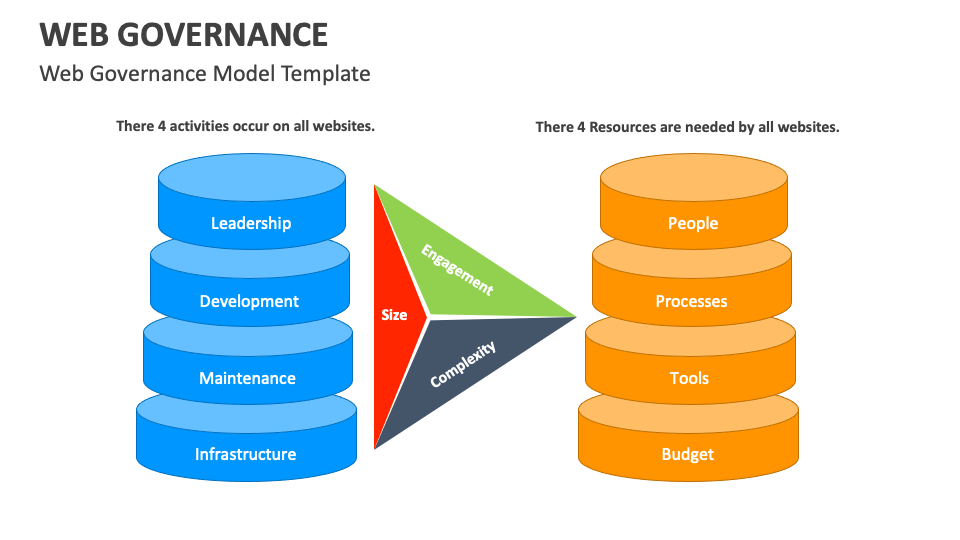
What’s under the hood of a good website governance framework? Image via Collidu
The document outlining your website governance framework matters less than whether anyone actually follows it. At the end of the day, the goal isn't documentation; it's changed behavior. So think of this as building a set of routines that lead to something concrete.
Step 1: audit your website ecosystem
You can’t govern what you don’t know exists. Start by listing every site, every microsite, every subdomain, and every platform. Then start flagging risks.
On the content side: pages no one’s touched in three years, broken user journeys, the same information living in four places with slightly different versions. On the compliance side: privacy policies that predate GDPR, accessibility that's never been tested, security holes in that forgotten WordPress site.
Step 2: set scope and goals
Don’t try to govern everything at once. Pick something manageable to start, whether that’s one site, one region, one business unit, or one platform.
Next, define three to five urgent, attainable goals. Be specific about your target numbers and deadlines to keep everyone on track. “Improve quality” is not a goal. “Reduce published errors by 50% within six months” is a goal.
Step 3: assign owners and decision rights
Name actual roles for your scoped area: site owner, content owners by section, legal and privacy point person, security contact, UX owner, and dev lead. For each of these, assign who decides approvals, consultations, and changes.
You’ll also need to set escalation rules for disagreements or urgent decisions.
Step 4: create practical standards and policies
Keep your guide compact and easy to follow.
Pull out the essentials: content style, brand rules, accessibility requirements, SEO basics, information architecture conventions, privacy-by-design principles, and release requirements for production changes. Finally, put your standards somewhere easy to find and clearly organized.
Step 5: build editorial and change workflows
Map content lifecycles end to end: request comes in → brief creation → drafting → staged reviews → approval→ publishing → ongoing content maintenance → archive or retire.
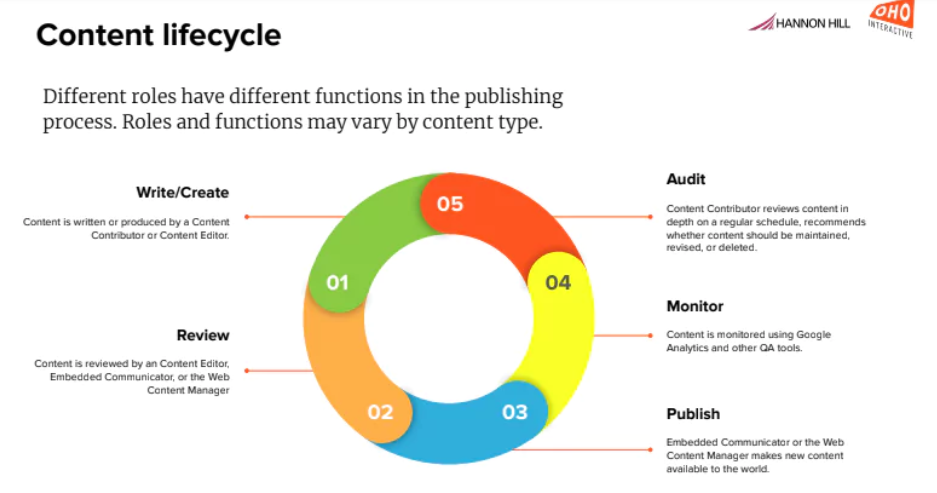
Content lifecycle via Hannon Hill
For platform and design changes, run a parallel path: submit request → assess impact → approve or reject→ implement changes → log changes.
Assign a clear owner and handoff every step. Tailor review depth to risk to avoid routing everything through reviewers.
Step 6: set tools and access controls
If everyone uses the same templates and components, consistency comes built in. If anyone can create whatever they want, that’s a recipe for disaster.
Standardize permissions—view content, edit drafts, publish live, and access admin functions—and document who can do each. Require formal access requests and approvals, with periodic reviews.
Log all changes and user activity for future audits and root-cause troubleshooting. Designate a single DAM (Digital Asset Management) or content repository as the source of approved images, documents, and assets to avoid rights and versioning issues.
Step 7: define KPIs and quality gates
KPIs let you know if the web governance framework you’ve built is working. Track publishing cycle time, content freshness, engagement and conversion, CWV, and incident count. Quality gates are your checkpoints before you push anything live. They comb through every piece of content to ensure it ticks every box on the checklist.
Tracking KPIs and conducting quality checks can be tedious, so set a reporting cadence and assign ownership. If nobody owns a metric, it stops getting tracked.
Step 8: pilot, roll out, and train
Don’t launch a governance framework everywhere at once. This is because a policy that seemed clear to you gets interpreted three different ways. Find these problems, and fix them before you scale.
Next, collect feedback aggressively to identify gaps and flaws, and then act based on what you learn. Finally, train your team, provide quick-reference guides for common tasks, hold open office hours for people to ask questions, and create FAQs.
Step 9: review cadence and improve continuously
Governance is an ongoing practice, so periodic operational reviews are essential to confirm that workflows are functioning and service agreements are being met. When recurring problems arise, review and update policies. Run post-mortems after incidents.
Expect organizational shifts, new technology, regulatory changes, and reassessments, so design an agile governance. Treat your framework as iterative and plan for periodic updates, clear escalation, and continuous improvement.
Hire one of the best website design agencies to implement these steps successfully.
Website Governance Policy: What It Is
A good website governance policy enables three things: safe speed, consistent quality, and clear decisions.
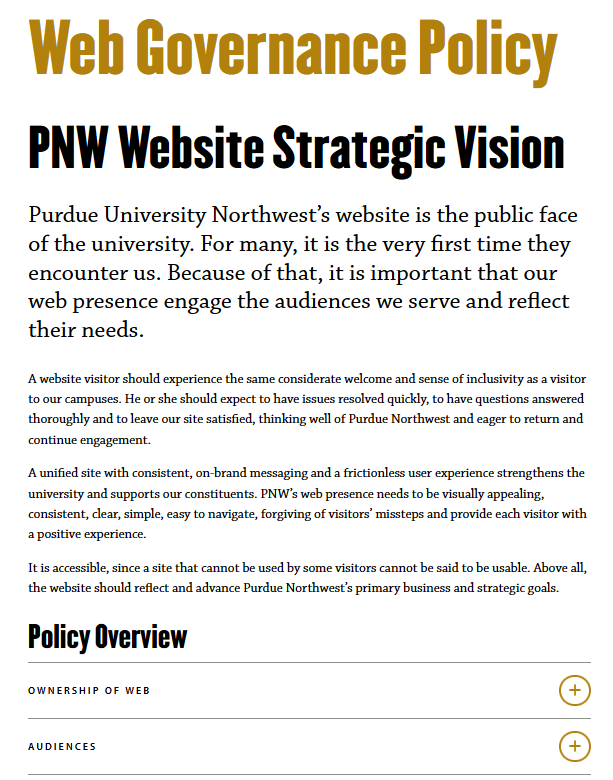
A screenshot of Purdue University’s web governance policy via PNW
What makes a governance policy work?
Your goal is adoption. That is, people who actually work the way the policy describes. And that takes a few things:
- Executive sponsorship. Someone with authority has to say the governance policy matters. It’s the classic “lead by example” principle.
- Training. When the policy launches, train the concerned teams. When it updates, train them again. When someone new joins, make policy training part of onboarding.
- Visibility. The policy needs to live somewhere obvious and easy to find.
- Integration with tools and workflows. Compliance should be the default path, not extra effort. If compliance means taking extra steps beyond the normal process, people will skip them when they’re busy.
Website Content Governance Policy Checklist
A website content governance policy checklist is a practical, day-to-day document. It helps your team ensure essential requirements are met for consistency and accuracy.
Step 1: define purpose, scope, and content types
Open with a paragraph explaining why this policy exists. It prevents outdated content, inconsistent user experience, and unclear ownership from damaging trust and efficiency. Be specific about the checklist's scope naming sites, subsites, and sections under governance. And don’t forget to add exclusions.
It also helps to list content types (marketing and product pages, blogs, landing pages, etc.) and note how each has different rules, reviewers, approval paths, and escalation channels.
Step 2: define content roles and ownership
Assign responsibilities to roles by thinking through the lifecycle of each piece of content. One creates content, one reviews it, and another gives the final approval. It’s also essential to build in redundancy or backups. Define alternate ownership so the work doesn’t stop even when someone’s unavailable. Revisit and update this whenever team structures change to avoid confusion.
Step 3: standardize creation and approval workflow
Write out the default path that content follows, and be specific about when specialist reviews are mandatory. That could be:
- Legal needs to review anything with contractual language, pricing, or claims that could create liability.
- Privacy should review anything that collects user data.
- Security should look at interactive features and third-party integrations.
Add timeframes on each step to indicate how long they should take.
Step 4: set editorial standards and voice
Editorial standards entail setting the tone—formal, casual, assertive, etc.—defining the terminology to use or avoid, and identifying the readers. There should be a structure that dictates how long paragraphs should be, what formatting conventions to use, and how to use headers, for instance.
Visual standards belong here, too. What imagery is acceptable? What components should be used for which purposes? Brand consistency relies on visual rules just as much as the written ones.
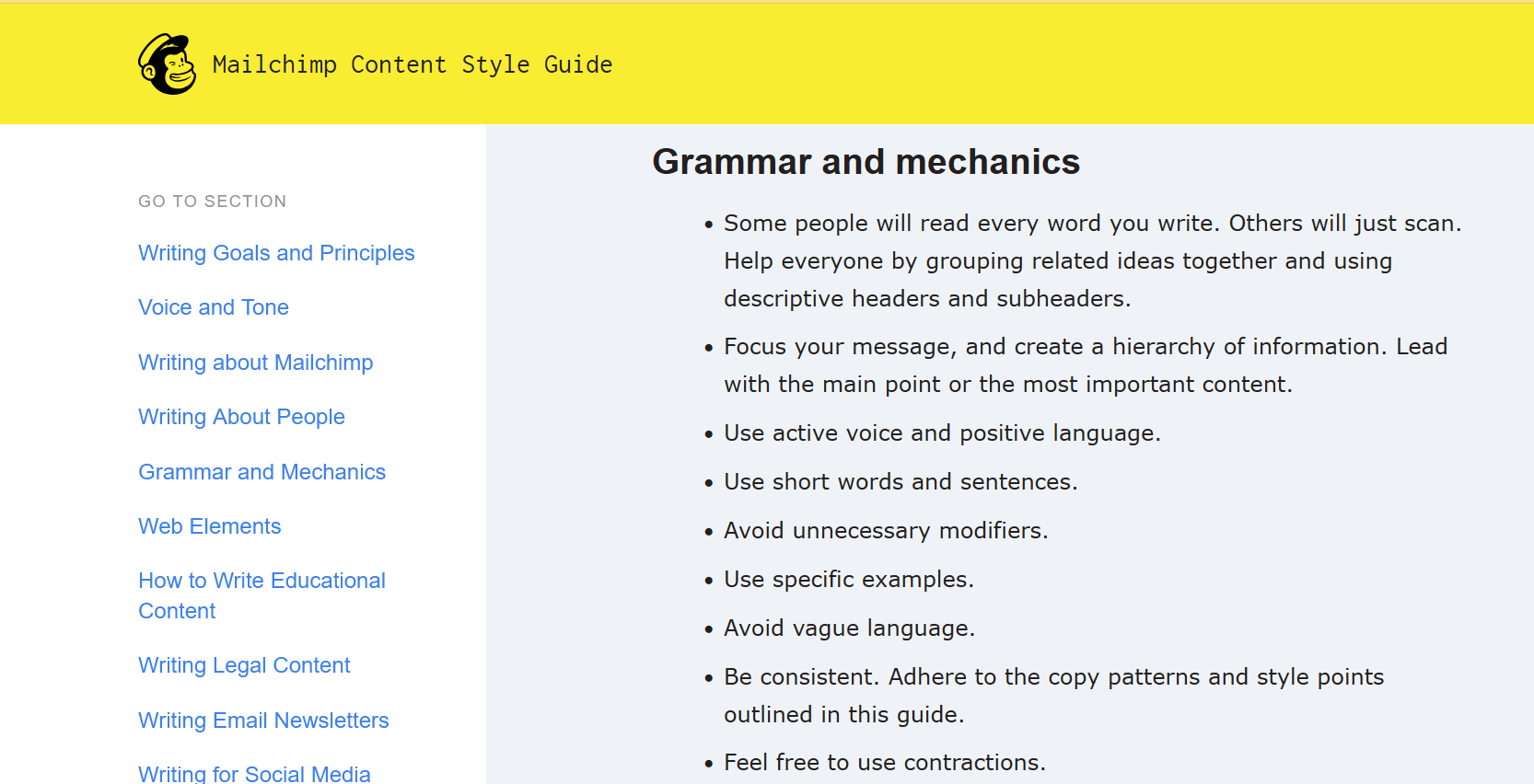
Editorial standards embedded in the content style guide via Mailchimp
Step 5: define quality, compliance, and accessibility gates
Define your “stop-ship” criteria. This could include an accessibility failure that makes content unusable for screen readers, a missing legal disclaimer, or a privacy violation. These are not “fix it later” issues.
UsableNet’s 2024 report found that over 4,000 ADA lawsuits (alleging violations of the Americans with Disabilities Act of 1990) were filed against websites, indicating that litigation is a real risk when accessibility issues go unresolved.
Step 6: define publish, update, and archive rules
Content doesn’t end once you hit publish. Some need to be updated regularly. Some organizations use time-based triggers, e.g., every page has to be reviewed annually. Others use event triggers, e.g., product changes, pricing updates, and regulatory shifts. Most need both.
Archiving and deleting content need rules, too—set criteria for when content should be archived or deleted, and who should make that call.
Step 7: set metadata, SEO, and tagging rules
Require standard metadata (title tags, meta descriptions, etc.) for every publish, along with document taxonomy and internal-linking standards. Assign owners for tagging and monitoring link health because broken links impair search, analytics, and SEO.
Step 8: set permissions and access guidelines
Map out who can do what in your systems, with each permission level corresponding to a specific role. Define the access request process. How does someone ask for access, and who approves it? How long should it take to review and grant or reject an access request?
Finally, enable comprehensive audit logging—what was accessed, who changed what, and when—for troubleshooting, accountability, and regulatory evidence.
Step 9: define performance tracking
Different content types need different metrics. Marketing pages: engagement, conversion. Support content: task completion, search queries it answers. Blog posts: traffic, shares, time on page. Product pages: conversion rate, bounce rate.
Define what happens when content underperforms. A page isn’t converting; do you refresh it? Consolidate with other content? Retire it? Performance data you get from reports should drive decisions.
Step 10: maintain and update the policy
Publishing the policy isn’t the finish line but the starting point. Set a review schedule; at a minimum, annually, and probably more often when you’re still figuring things out. Assign a version number to everything. Track what changed between versions and keep a changelog.
Clarify who can approve policy changes. Changes shouldn’t be implemented by just about anyone, and policy updates should be communicated to affected teams.
Website Governance Summary and Next Steps
Without website governance, every decision becomes a negotiation—manageable when you’re tiny, unsustainable as you scale.
Effective governance strategies follow these best practices:
- Start small. Pick a scoped pilot and expand.
- Assign clear owners for decisions, content areas, and systems.
- Embed governance into workflows, tools, checklists, and quality gates rather than tucking it in a document.
- Track meaningful metrics and iterate based on results.
Website governance can make your life easy. But it’s important to build the framework before something breaks. And always review regularly.
Feb 26, 2026

Creates insightful, strategy-driven content that translates complex design and branding concepts into accessible knowledge, supporting Ramotion’s mission to elevate digital experiences.