
With constant development and new deployments being released online, are your websites and applications ADA-compliant?
Many online businesses have faced lawsuits claiming their websites fail to meet ADA accessibility requirements. In several cases, developers had no idea of these rules until clients reached out after receiving a legal notice, leaving little time to rectify the issue.
But what is ADA compliance, anyway?
The Americans with Disabilities Act (ADA) may seem like a complicated subject, but its purpose is straightforward: to protect individuals with disabilities and ensure they have meaningful access to services, spaces, and information that are useful to them. It used to only apply to physical places, such as buildings, hotels, and public transportation. It now also applies to digital platforms, such as websites and apps.
Today, websites and applications play a crucial role in how businesses communicate, sell products, and deliver services to their customers. Due to these changes, several businesses, including online stores, service providers, and emerging brands, are now required to meet ADA website and application accessibility standards.
In this article, we will cover the general legal standards for ADA compliance, what the ADA means for websites, and its key traits. We will also tackle what the WCAG standards are, why ADA compliance matters for businesses, how to evaluate web accessibility, and list several inspiring examples to help you get a good grasp of these legal requirements.
Brief History of the ADA
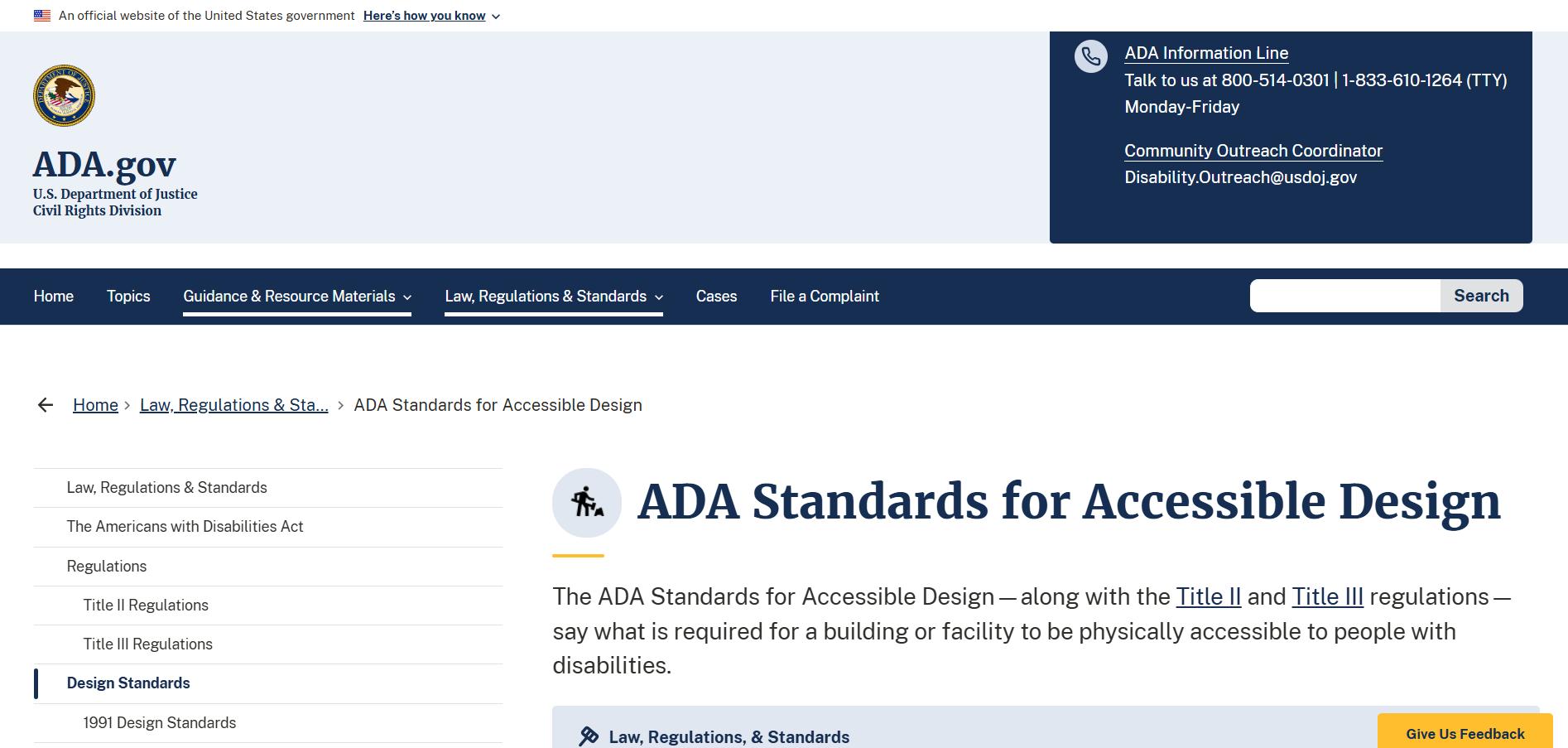
The ADA was passed in 1990 to protect people with disabilities from discrimination. Updates in 2010 and 2024 strengthened the law and expanded accessibility expectations, including for websites and mobile apps. (Image Source)
According to the official website, the Americans with Disabilities Act (ADA) is a civil rights law enacted in 1990 to protect people with disabilities from discrimination. The law was created to help them have equal access to public life, services, and opportunities.
The original ADA did not include detailed technical standards for digital platforms, leading to uncertainty about how accessibility should be addressed online.
In 2010, the U.S. Department of Justice (DOJ) made some changes to and strengthened some ADA compliance measures to make public services easier to get to. At that time, though, it wasn't clear what the exact requirements were for websites and other digital platforms. The 2024 Title II final rule (see ADA Fact Sheet) later filled this gap by making it clear that public services must be provided through websites and mobile apps.
Today, most businesses or organizations considered a public accommodation under Title III of the ADA, as well as state or local governments covered under Title II, must ensure their websites and web based services are accessible to individuals with disabilities.
As a result, ADA compliance applies mainly to organizations that serve the public, including:
- State and local governments (Title II entities), covering all departments, agencies, and services
- Private businesses with 15 or more employees
- Places of public accommodation (Title III entities), which include a wide range of businesses open to the public
What the ADA Means for Websites?
Websites that fail to meet ADA requirements may violate the law and discourage potential customers from using online services.
Because the ADA applies nationwide, businesses that operate online are expected to have an ADA compliant website accessible to individuals with disabilities.
This means customers with disabilities should be able to complete essential tasks, including:
- navigating between pages
- accessing and understanding information
- making purchases
- subscribing to services
With this legal framework in mind, ADA compliance for a website mostly focuses on several best practices intended to reduce legal risk and improve access, such as:
- aligning content with WCAG 2.1 or 2.2 at Level AA or AAA
- publishing a clear accessibility statement on the website
- supporting keyboard-only navigation, utilizing assistive technologies, and providing appropriate text alternatives for non-text content
- responding quickly to web accessibility requests or reported issues
Why ADA Compliance Matters for Businesses
As previously mentioned, ADA compliance is a design intended to serve as both a legal requirement and a practical business consideration.
Private businesses and organizations that are open to the public are generally governed by Title III of the Americans with Disabilities Act. This includes a wide range of businesses that operate websites or online services connected to their products or services, such as:
- Restaurants, bakeries, and grocery stores
- Hotels and other lodging establishments
- Retail stores and shopping centers
- Banks, accounting firms, and law offices
- Healthcare providers, clinics, and hospitals
- Gyms and fitness centers
- Private transportation services that serve the public
- Private schools and educational institutions open to the public
When businesses fail to meet website accessibility expectations, a non ADA compliant website may face lawsuits, regulatory complaints, or settlement costs.
In fact, several users from Reddit share real cases involving non ADA compliant websites. These examples show how accessibility issues can expose companies to legal consequences and create financial consequences. Failing to maintain an accessible website can lead to several growing risks, including
- Lawsuits and demand letters. According to UsableNet, more than 10,000 ADA related website lawsuits were filed annually by 2018, affecting businesses of all sizes.
- Financial penalties and legal costs. Settlement payments, court-ordered damages, and plaintiff legal fees can add up quickly.
- Reputational harm. Once a business becomes associated with a non ADA compliant website lawsuit, public trust can be impacted. Negative news and online discussions may influence how customers view the brand.
Given these risks, it is essential to design and create accessible websites to reduce legal exposure while also reaching a wider audience and expanding market reach.
An accessible website can also make things easier to use and create a more welcoming experience for everyone, in addition to meeting legal requirements. For people with visual, hearing, motor, or cognitive disabilities, clear structure, readable content, and easy-to-use design practices help SEO, lower bounce rates, and make customers happier with your website.
How to Evaluate Website ADA Compliance?
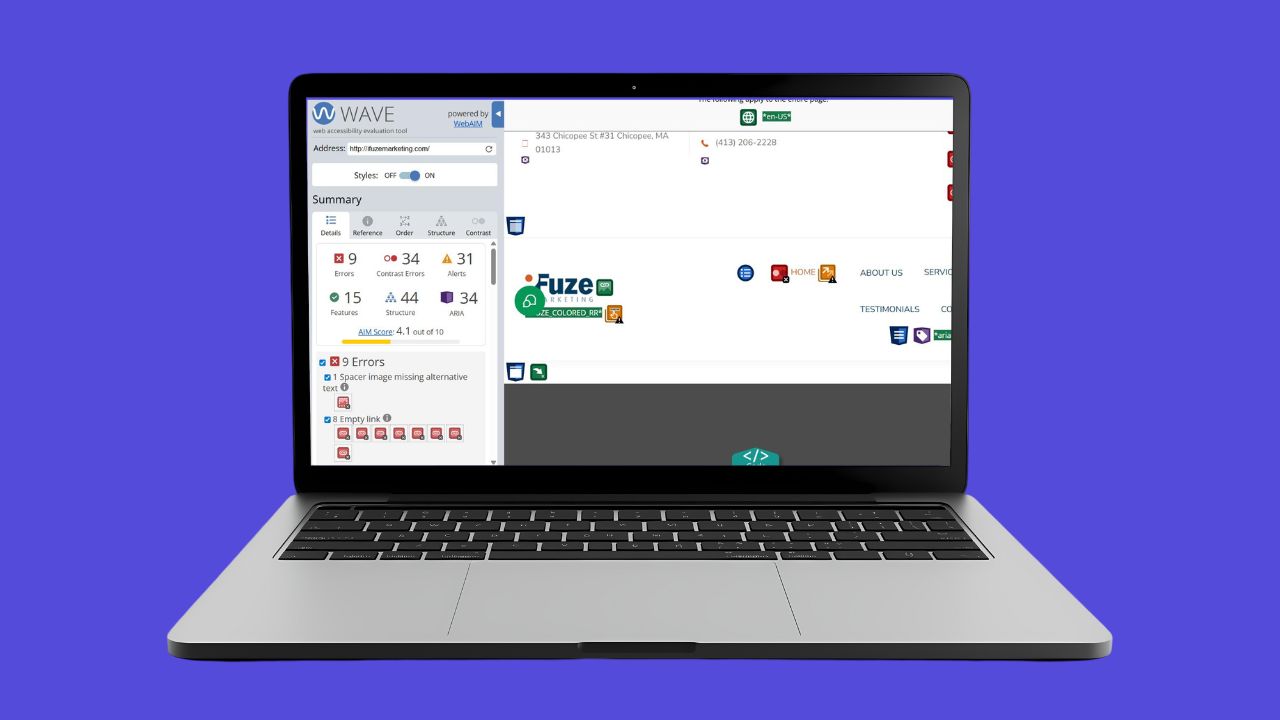
ADA compliance requires regular accessibility testing using both automated tools and manual checks. (Image Source)
When you build an ADA compliant website, people with disabilities can use your business website just like everyone else.
So, how can this be achieved?
To make sure your website is ADA compliant, you need to perform accessibility testing on a regular basis through ongoing reviews and updates, and not just a one-time checklist.
To understand how this works in practice, the sections below outline the essential testing steps needed to support consistent website accessibility.
1. Automated accessibility audit tools
To make the evaluation process more faster and efficient, using automated accessibility tools is a practical initial step when auditing a website.
These tools can detect common technical violations of WCAG standards and can typically catch about 30–40% of potential accessibility issues (according to Web Usability), such as
missing image alt text insufficient color contrast improper form labels ARIA (Accessible Rich Internet Applications) misuse
Some automated accessibility tools you can use include:
WAVE – Developed by WebAIM.org, this tool provides visual feedback directly on your website pages, which make it useful for spotting accessibility issues in complex forms and visually checking the structure of web page templates.
axe DevTools – This tool can be integrated into browser developer tools and supports in-context testing during development.It is very helpful for testing dynamic parts and single-page apps.
Google Lighthouse – Developed by Google, it is built into Chrome DevTools, which includes an accessibility audit feature. It helps run automated checks on web page templates and get SEO insights with accessibility scores.
2. Manual testing with real users
Even after running accessibility checks with automated tools, it is still necessary to validate real-world usability and uncover barriers or pain points based on how people actually experience a website.
When conducting manual web accessibility testing, it is important to involve people with a range of disabilities, including users who are blind, have low vision, or have motor impairments.
3. Keyboard-only navigation
Test whether all interactive elements such as links, buttons, and forms are usable, and visible using only the Tab key.
WebAIM provides clear guidance on keyboard accessibility and common focus issues.
4. Screen reader testing
Use screen readers such as JAWS, NVDA, or VoiceOver to navigate the website. This often reveals problems with logical reading order, headings, and link context that need correction.
5. Content, grammar, and clarity checks
Review written content for clarity and readability to make sure it is easy to understand and does not create confusion for users with disabilities.
6. Qualitative user feedback
Gather feedback directly from users about feature failures, confusion, or pain points. This input helps improve usability and reduces future website accessibility issues.
7. Blending automated and human review
Of course, no single testing method is perfect, as one approach may have advantages over the other.
Because of this, a hybrid testing strategy can create more reliable and actionable results for long-term ADA website compliance.
The reason is straightforward. Automated tools can quickly detect portions of technical accessibility issues, while human testing helps identify context-based problems, usability challenges, and real-world website barriers.
To stay organized, results from automated reports and user testing sessions should be properly documented and reviewed using tools like Google Workspace, Jira or Notion.
Inspiring ADA-Compliant Website Examples
The following list of website examples highlights specific ADA-friendly practices that improve usability while showing how brands can remain visually engaging and accessible to users with disabilities.
1. Ultima Replenisher
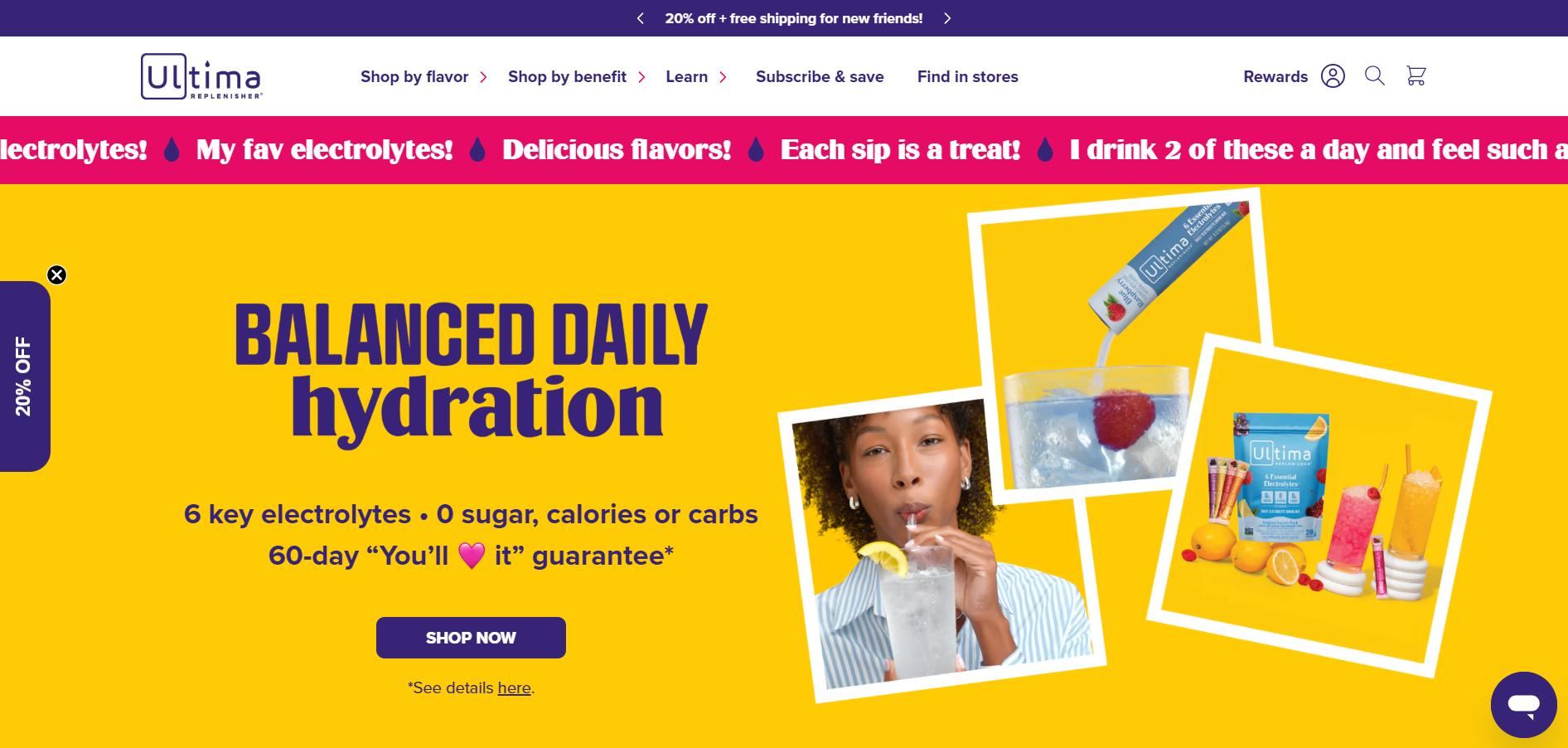
The Ultima Replenisher website has a clean layout with complementary colors, short paragraphs, clear headings, and an easy-to-read sans-serif font. (Image Source)
This website sells zero-calorie electrolyte drink mixes online. It has a clean layout with complementary color hues, short paragraphs, clear headings, and a sans-serif font that is easy to read.
It also features a simple main menu with descriptive link text, such as "Shop by flavor" and "Shop by benefit," along with a logical, linear arrow with submenus that follow the visual flow.
2. Reuzel

The Reuzel website mainly uses black and white, making it easier for people with low vision or color blindness to read. (Image Source)
This grooming brand’s website offers skincare, and hair products. The website mostly uses black and white colors, which can help people with low vision or color blindness read it better.
The website's accessibility page says that it lets you change the font size, color contrast, and pause animations and highlight focused elements. These features help people with disabilities and follow WCAG guidelines
3. The Clear Cut

The Clear Cut website uses clear headings, straightforward content, and clean visuals. (Image Source)
This jewelry website features short, clear headings and readable text, along with clean visual images that display key product details. These images are included in the product listings themselves and are backed up by descriptive alt text.
With an accessibility statement in place, the brand demonstrates a commitment to keeping the website user-friendly and accessible, and invites users to report any accessibility barriers they encounter.
4. M.Gemi
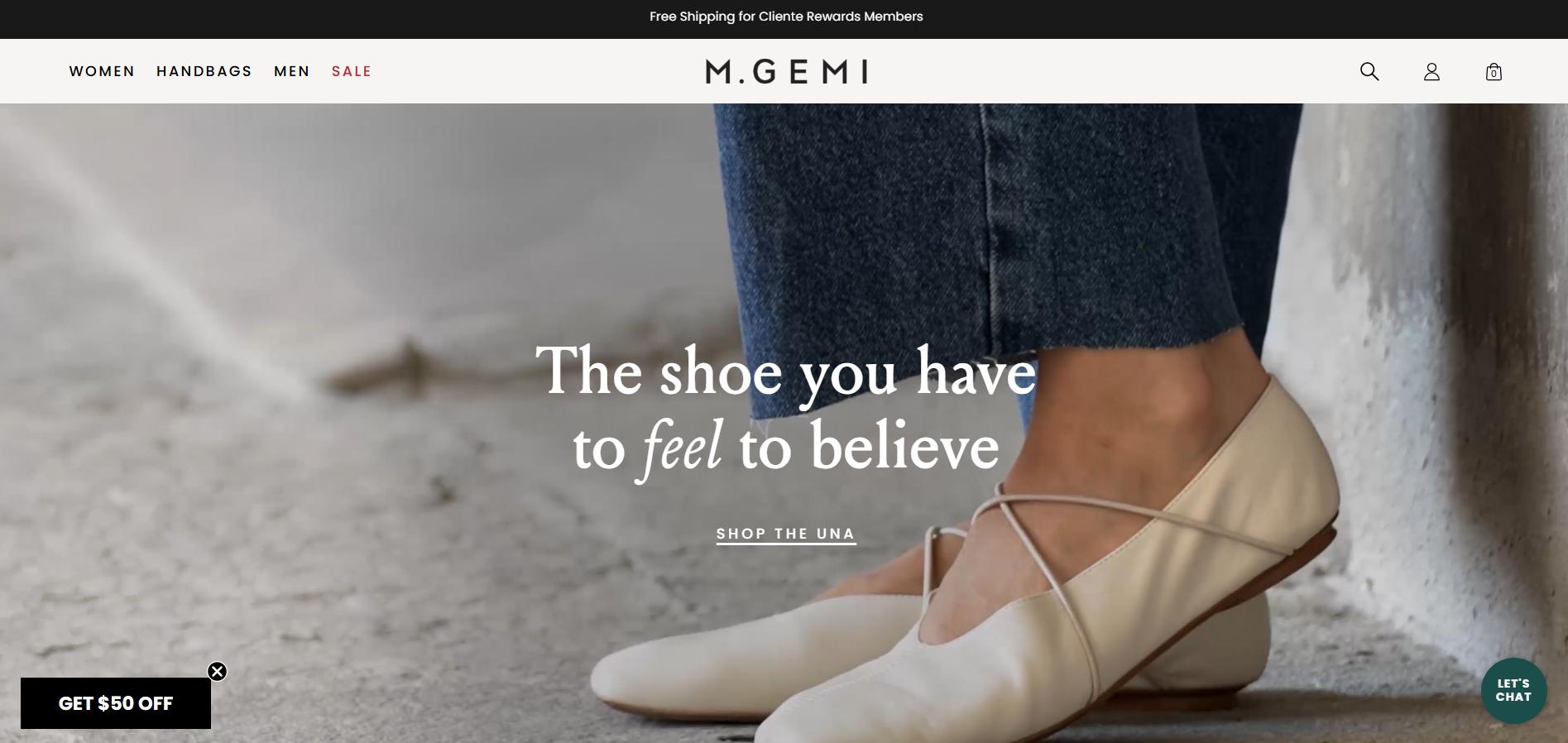
The M.Gemi website implements appropriate ARIA labels for interactive components, including carousels and size selectors, to ensure dynamic content changes are properly communicated to assistive technologies. (Image Source)
The M.Gemi website shows off luxury shoes made by Italian artisans. It also uses proper ARIA (Accessible Rich Internet Applications) labels for interactive elements like carousels and size selectors, and it makes sure that dynamic content updates are communicated correctly.
It features well-organized menu labels that are grouped by gender, which makes the site easier for people with disabilities to understand and use.
5. Hygge & West

Hygge & West keeps its design simple and responsive, using dark blue text on white and light pastel backgrounds that work well across all screen sizes. (Image Source)
Hygge & West is a small brand that sells wallpaper and home goods. Their website has a responsive layout that works well on all kinds of devices and screen sizes.
The site has a simple design with dark blue text on white and light pastel backgrounds. Interactive elements work well across viewports without breaking or overlapping with other content.
6. La Passione

The La Passione website uses clutter-free UX patterns designed to support users with cognitive or attention-related disabilities, using consistent text sizing, uniform interactive elements, and easy navigation. (Image Source)
As a cycling clothing brand website, La Passione previously used clear, clutter-free UX patterns that helped reduce distractions for users with cognitive or attention-related disabilities. Based on its earlier design, the website featured consistent text sizing, uniform interactive elements, and simple navigation.
Unfortunately, at the time of writing, the La Passione website is no longer active. Learn more here.
Common Traits of ADA-Compliant Websites
ADA-compliant websites make it easier for people with disabilities to have an inclusive user experience. They often share a common set of attributes focused on simplicity, clarity, and predictability.
Below is a list of common attributes commonly found on ADA-compliant websites:
1. Clear navigation and strong visual hierarchy
These features make sure that users can use a keyboard or assistive technology to get around a website without getting confused. ADA-compliant websites mostly use layouts that make sense and are consistent, so people with disabilities don't have to guess where to go next.
This means an ADA-compliant website should have:
- Scannable and consistent menus
- Menu labels need to be concise and descriptive. As an example, “Shop Men’s Shoes” label is better than just “Products”.
- Menu structures and on-page copy that support an intuitive website structure that users can understand at first look .
- A consistent layout across devices and screen sizes.
2. Effective alt text, readable typography, and contrast
Even with inclusive and accessible web design, content is still king
An ADA-compliant website presents content in ways users can perceive, whether it is seen, heard, or displayed across different screen sizes and devices.
To meet ADA accessibility expectations, each webpage should include:
- Legible typography that is easy to read, with text that can be resized up to 200% without breaking the layout or overlapping content.
- Concise and meaningful alt text for images that communicates purpose and context. For example, a product image description such as "Red and black athletic shoes" is more helpful than "image of shoes."
- Good color contrast between text and background elements.
3. Full keyboard and screen-reader support
The ADA's web accessibility documentation notes that the lack of keyboard and screen-reader access are common barriers for people with disabilities accessing websites.
To get rid of these barriers and make sure that people with disabilities can access content without any issues, an ADA-compliant website must support both keyboard navigation and screen readers.
To support this, a website should:
- Make sure the Tab key moves through all page elements, such as links, buttons, and form fields, in a logical order. Each focused element should have a clear visual outline or highlight. Read Penn Medicine for practical guidance on keyboard accessibility patterns.
- Use proper semantic HTML elements, including headings, lists, and buttons, along with appropriate ARIA labels when needed. This allows screen readers to accurately announce page structure and content. Check out MDN's documentation on semantic markup and ARIA usage to learn more.
Understanding WCAG Standards
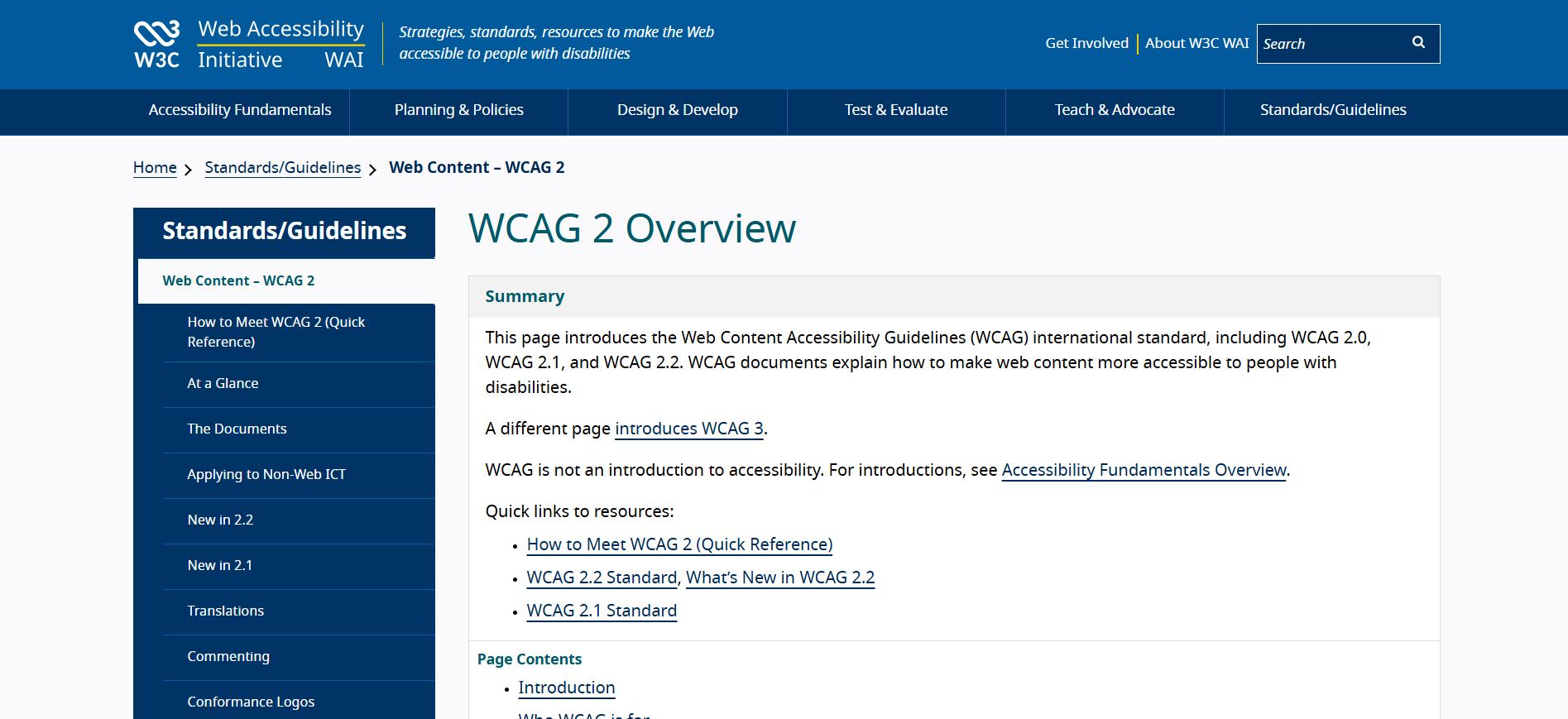
In practice, the DOJ typically refers to WCAG when discussing ADA-compliant websites. WCAG gives designers and developers a clear, measurable checklist for building accessible sites. (Image Source)
In practice, the DOJ usually refers to the Web Content Accessibility Guidelines (WCAG) documentation when citing an example of an ADA compliant website.
These guidelines give designers and developers a clear and measurable checklist whenever they build accessible websites. This is why a lot of businesses hire the top website design agencies to make sure their sites are 100% accessible without trial-and-error or time-consuming troubleshooting.
The WCAG are structured around three conformance levels:
- Level A – the lowest level of accessibility compliance. It covers only the basic requirements like keyboard access and text alternatives for images and other non-text content.
- Level AA – the most commonly targeted level for legal and commercial websites. It addresses more advanced accessibility needs, including sufficient color contrast, consistent navigation, and error identification.
- Level AAA – the highest and most difficult level of compliance. It goes beyond the usual development requirements and adds stricter ones, like sign language interpretation and higher contrast ratios.
How WCAG Enables ADA Compliance
WCAG has become the go-to standard for building accessible websites. Compliance with WCAG helps satisfy ADA accessibility expectations.
These guidelines are structured around four key principles: Perceivable, Operable, Understandable, and Robust (POUR).
- Perceivable – Content must be presented in ways that users can perceive, whether through sight, sound, or assistive technologies.
- Operable – User interface components and navigation must be usable using different input methods, such as a keyboard, mouse, or assistive technologies.
- Understandable – Information and user interface operations must be predictable, clear, and easy to follow.
- Robust – Content must be strong enough to be reliably interpreted by a wide variety of user agents.
Applying WCAG in Design and Development
Integrating WCAG into your website project includes several steps and roles to create products that are inclusive for all users.
The list below shows example tasks that each role may be responsible for when applying WCAG principles during website design and development. This will help you better understand both general and role-specific responsibilities, whether you are a designer, developer, or content creator.
Note: If you’re new to web accessibility and need guidance on making your website ADA-compliant with WCAG, working with a professional website development company can help you avoid costly mistakes and save time.
Step 1: Design phase (designer's role)
- Create color palettes that meet WCAG contrast requirements
- Design responsive layouts with clear visual hierarchy and predictable navigation patterns
- Set visible focus states for all interactive elements, such as links, buttons, and form fields.
- Use appropriate text alternatives for images and multimedia content
- Ensure form layouts clearly associate labels, instructions, and error messages
Step 2: Development phase (developer’s role)
- Use semantic HTML5 markup and keyboard accessibility features
- Build intuitive and accessible navigation, including breadcrumbs and landmarks
- Apply ARIA attributes correctly and only when necessary
- Use meaningful labels for form controls and proper alt text for images
- Implement accessible form validation with clear, descriptive error handling
- Check compatibility with screen readers and other assistive technologies
Step 3: Content phase (content creator’s role)
- Write clear, concise, and easy to understand headings, body text, links, and calls to action
- Provide text alternatives for all non-text content
- Create captions, transcripts, and audio or video descriptions where applicable
Step 4: Test and iterate
- Conduct WCAG audits using both automated tools and manual testing methods
- Fix accessibility issues early and keep reviewing them regularly.
Tips for Meeting WCAG 2.1 AA Standards
Meeting WCAG 2.1 Level AA can involve a lot of details, but the recommendations below focus on practical changes you can make to improve accessibility and compliance.
1. Color contrast
Employ minimum contrast ratio for normal text is at least 4.5:1. While this is the baseline requirement, you need to use your own judgment to ensure content remains readable in real-world conditions.
Use Case: Utilize dark gray text (#333333) on a white background (#FFFFFF) with contrast ratio of 12.6:1
2. Keyboard accessibility
Use only the keyboard to navigate the entire website, mostly with the Tab key, to ensure the focus order makes sense and the focus indicators are easy to see.
Use case: Create custom dropdown menus that opens and closes using enter or space
3. Forms
Use clear labels, instructions, and error messages that are properly announced by screen readers.
Use case: Include visible labels for each input field that has easy to understand error messages that screen readers can announce correctly.
4. Images and icons
Write descriptive alternative text for images and properly mark decorative images so they are ignored by assistive technologies.
Use case: Make sure that all images have meaningful alt text and that decorative images and icons are properly marked so that screen readers don't read them.
5. Navigation
Create responsive and consistent navigation menus that users can easily understand and follow across all pages.
Use case: Design a navigation menu that appears in the same location on every page. Make sure that each menu item is logically ordered and clearly labeled.
Make Your Website Accessible Today
Making an ADA compliant website can seem to be a daunting task. In reality, it is more manageable than it may appear.
Below are some practical steps you can apply to make your website more accessible.
1. Start with an accessibility audit
Whether your website is already up and running or is still being built, the first thing you should do is use automated tools to check its accessibility and then do manual testing.
Most automated tools can quickly find common accessibility problems like low color contrast, missing image alt text, and broken keyboard navigation. If budget allows, you can even hire professional accessibility auditors to do more in-depth testing with assistive technologies. If that’s not an option, free tools like WAVE or Accessibility Checker can help you get started.
Having said that, automated tools can't find all accessibility problems. To find accessibility problems that automated scans often miss, you need to get feedback from real users and write it down.
Always remember that accessibility audits should be conducted regularly, especially after website updates, redesigns, or content changes, to prevent new barriers from being introduced.
2. Use reliable accessibility resources and checklists
While there is a large amount of information online about the ADA and WCAG, it’s best to rely on official ADA resources and trusted WCAG checklists to avoid confusion and stay aligned with established accessibility standards.
Using established WCAG checklists, like WebAIM's WCAG 2 Checklist, can help you make your accessibility journey into a manageable, repeatable process. These checklists make it clear what needs to be looked at, tested, and fixed at each stage of website development, so you don't have to guess.
The key to building an accessible and ADA compliant website is integrating accessibility checklists into ongoing workflows. Doing so, every new page, feature, or update is reviewed for accessibility from the beginning.
ADA: More Than Just Compliance
Learning about the importance of following the ADA and using WCAG practices can help you avoid lawsuits and legal risks while promoting inclusive and accessible digital experiences for people with disabilities.
Being ADA compliant shows that a brand cares about inclusivity and social responsibility. This commitment can lead to good SEO performance, improved usability, and higher customer satisfaction.
This makes accessibility more than just a legal requirement. In fact, it can be a strategic advantage that builds brand trust, loyalty, and a better experience for all users.
Jan 14, 2026

Creates insightful, strategy-driven content that translates complex design and branding concepts into accessible knowledge, supporting Ramotion’s mission to elevate digital experiences.